Smart Strength Open Mode Onboarding Guide
Introduction
About this Guide
This guide covers Open Mode on EGYM Smart Strength Machines. Smart Strength machines have two operating modes:
Circuit Mode – Guided workout flow, structured by the gym
Open Mode – Flexible training experience where you can choose between Auto and Individual modes.
Smart Strength Overview
EGYM Smart Strength is a fully connected strength training solution designed to meet the needs of every member while streamlining operations for gym owners. The combination of smart equipment and real-time personalization delivers safe, effective, and measurable workouts that adapt to each member's needs.
Open Mode Overview
Open mode offers two different training modes (Auto, Individual) that adapt to the user's needs and experience level.
To change modes, tap on the current training mode in the menu icon (top left). On the mode selection screen, select Auto or Individual.

Auto Mode
EGYM recommends Auto Mode for members who want structured guidance.
Use of training programs (Basic or EGYM+).
Training settings are automatically defined by the training program.
Strength test scheduled after six days of training.
Live feedback always uses the EGYM curve.
Individual Mode
EGYM recommends Individual Mode for members who want full autonomy.
Configure your own training: method, repetitions, weight.
Settings are saved separately for each method and machine.
You can switch between live feedback options: curve (guided) and bar (free, non-guided) views.
Training Settings
Metody tréninku
Různé dostupné tréninkové postupy umožňují efektivnější a individualizovaný trénink pro různé cílové skupiny.
| Pravidelná U metody pravidelného tréninku zůstává odpor vždy konstantní, podobně jako u klasického silového tréninku. Benefits:
| |
| Negativní Vyšší odpor v excentrické fázi než v koncentrické fázi. Benefits:
| |
| Adaptivní Odpor se během adaptačního cvičení snižuje v závislosti na zbývajícím akčním svalovém potenciálu. Výhody: Stimuluje růst svalů prostřednictvím zvýšené svalové únavy.
| |
| Izokinetická (není k dispozici na všech trzích) Při izokinetické tréninkové metodě vytváří energie vynaložená uživatelem stejný odpor zařízení. Výhody: Trénink na hranici přirozené síly při každém úhlovém pohybu
| |
| Explonická Konstantní hmotnost s maximálním zrychlením. Výhody: Zvyšuje sílu a fyzickou výkonnost při sportu a také sílu při každodenních činnostech.
| |
| Max Out The Max Out training method starts at a low resistance (35% of the strength test result). After every successful repetition, the machine increases the load by 5%. The set concludes when a repetition cannot be completed with proper form. Benefits:
|
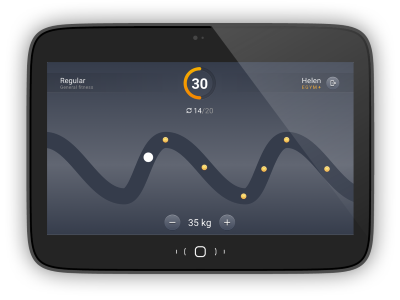
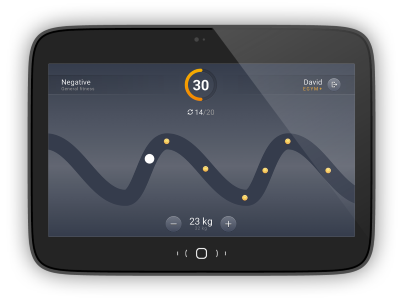
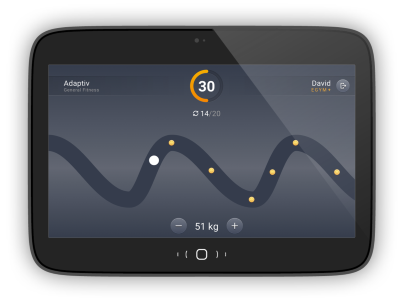
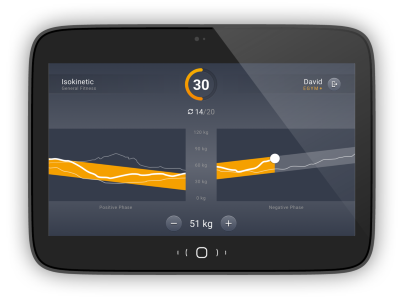
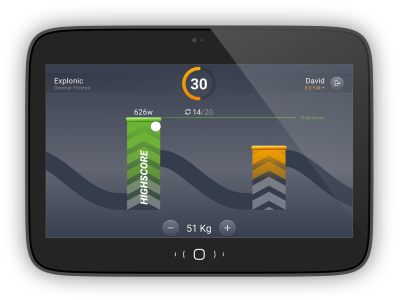
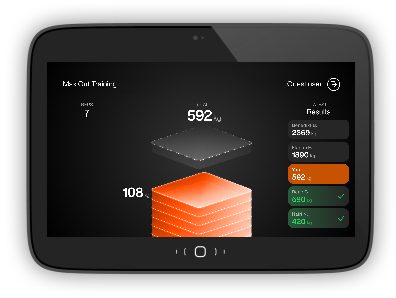
Change Training Settings
Select Adjust Training. Then select the training method you want.

Select the Training Method (Regular. Negative, Adaptive, Isokinetic, Explonic) to change.

Tap + or - to change the Repetitions or Training weight. In Individual mode, you can also switch the visualization between Guided and Free.
Select Confirm to save your changes or Strength Test to conduct a new test.
Optimized Onboarding
EGYM has optimized Smart Strength Open Mode Onboarding and improved it visually. You can see a new welcome screen and can now skip intro or test training.
Login to a EGYM Smart Strength machine,
Select Start to learn how to use the machine.

Poznámka
Select Skip to go directly to the test training (Step 4).
Follow the on-screen guidance and tap Next until you reach the test training screen.
Select Next to conduct test training.

Follow the on-screen guidance and tap Ok.
Poznámka
You must complete at least 3 reps in order to proceed to the next step.
Select I am fine. Then you will proceed to the strength test.

Poznámka
If you select I need help, you will be prompted to contact a trainer.
Max Out Training
Max Out Training is a new progressive strength training feature that helps members push themselves incrementally with clear guidance and lightweight gamification. Max Out is available for both logged in users and in guest mode.
Poznámka
You need to complete a strength test in order to use Max Out Training.
Select the Max Out Training >.
Tap Start.

Tap Continue.

View your results and tap Logout.

Recovery Timer
After you complete a set, you can see a real-time countdown timer on the pre-training screen. The timer shows elapsed rest time and suggests when to start the next set. The screens vary for Auto and Individual Mode:
Auto Mode:


Individual Mode:


The rest period varies based on the exercise type (isolated or compound) and the number of reps in the set.
Reps in Set | Isolated Exercise Rest Period | Compound Exercise Rest Period |
|---|---|---|
1–6 reps | 150 | 180 |
7–12 reps | 90 | 120 |
13–17 reps | 60 | 90 |
18+ reps | 30 | 45 |
Isolated Exercises:
M1 Leg Extension
M2 Abdominal Crunch
M3 Back Extension
M4 Leg Curl
M8 Glutes
M10 Abductor
M11 Adductor
M12 Rotary Torso
M13 Butterfly
M14 Butterfly Reverse
M15 Bicep Curl
M16 Calf Press
M18 Triceps
Compound Exercises:
M5 Chest Press
M6 Seated Row
M7 Lat Pulldown
M9 Leg Press
M17 Shoulder Press
M19 Hip Thrust
M20 Squat
Additional Improvements
EGYM has made the following updates to improve the user experience:
Guest Mode
You can instantly configure machine and training settings without login. This includes access to Max Out training and the Strength Test.

Auto Logout Timer
You can see a countdown timer on the result screen after a finished set or session. This clearly communicates when logout will occur.
