Edit Genius training plan preferences
You can update your Genius training plan preferences at any time in the app to better match your fitness goals, experience, and available equipment.
In the Genius widget (), tap .
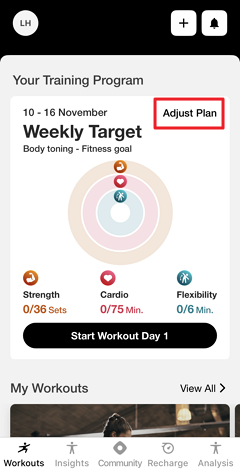
Change your preferences as needed.
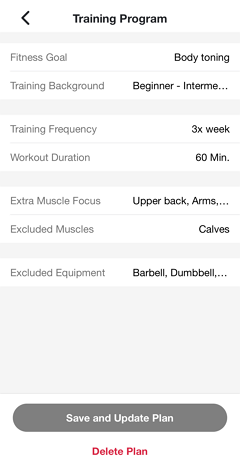
Tap .
Genius will regenerate your plan according to the new preferences. You will get a notification once it's ready.
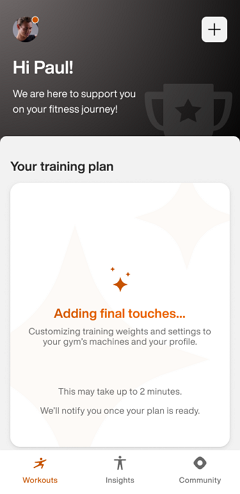
Notat
Make sure notifications are turned on in your device's settings. Otherwise, check back later in the app.
Viktig
For gym owners:
To ensure members receive push notifications, your gym’s Member App must be able to publish updates. Make sure the account holder has accepted all required Apple App Store Connect agreements, including both the standard license agreement and any required Paid Apps agreements.
For Android, if your gym operates its own Google Play developer account, you must accept the Google Play Developer Distribution Agreement.