Prescribe EGYM Smart Strength machines
For EGYM Smart Strength machines, you can have the training parameters set automatically, or you can add these values manually. Depending on the member’s preferences, Genius AI may add these machines with either automatic values or specific repetitions. You can edit this manually.
In the training plan, tap an EGYM Smart Strength exercise.
For , tap or .
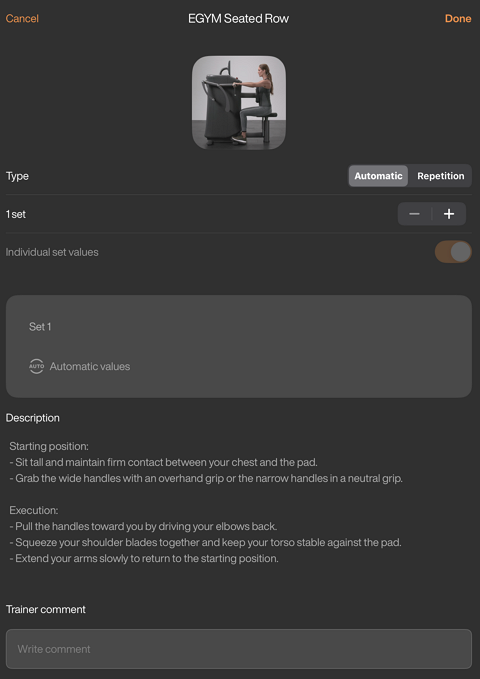
Add or remove sets by tapping – or +.
For Smart Strength exercises with more than one set, you can optionally enable to customize the settings for each set.
For manual settings ( tab), you can edit the training methods, repetitions, and rest time for each set as needed.
Tap to save the Smart Strength exercise settings and then tap . The plan will be assigned to the member and can be found on their under .
Uwaga
Genius does not prescribe the Training Methods on EGYM Smart Strength machines in training plans. These can be edited manually.
Depending on your gym’s configurations, the options (, , ) may not be available. If you don’t see these options and would like to enable them, contact your gym’s administrator. They can reach out to us by filling out our contact form.