Fill out training profile
After you Choose a gym, you will fill out your training profile.
Select your experience level:
Select your fitness goal:
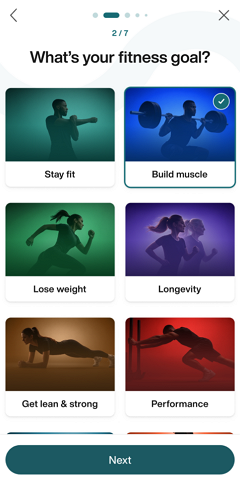
In the fitness goal window, you can manually adjust the Strength, Cardio, and Flexibility parameters for each goal. Once decided, tap .
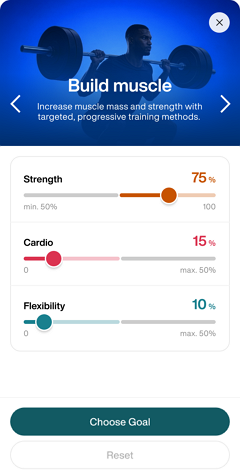
Uwaga
The combined values for , , and must always equal 100%. Each training type also has defined minimum and maximum limits based on the selected goal (for example, can range from 20%–100% in ).
Select how many times (1 - 7 days) a week you will work out.
Select the average duration (15 - 180 minutes) of each workout.
Select muscle groups for extra focus. Tap .
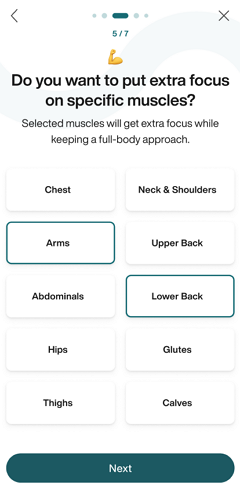
Uwaga
Genius training plans include all muscle areas by default.
Select muscle groups to avoid. Tap .
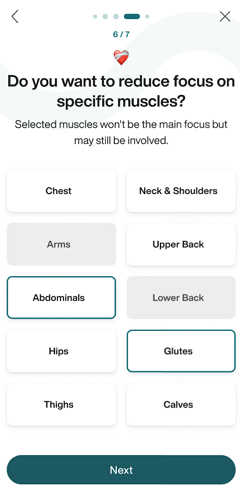
Uwaga
Only exercises that primarily target the excluded muscle group will be removed from Genius training plans. Exercises that engage the muscle indirectly—where less than 40% of its capacity is utilized—will still be included.
For example, if you exclude Calves, exercises like calf raises will be omitted, but squats may still appear in the training plan.
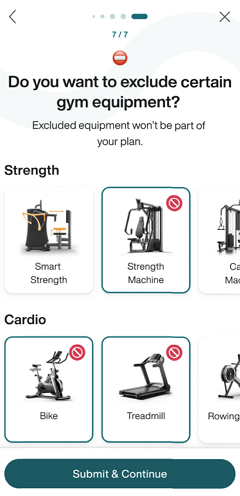
Select equipment to exclude. Tap .
Review your training profile. Tap any category to make changes. You can also edit these preferences later anytime in the app.
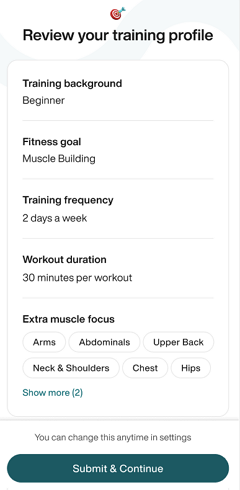
Once done, tap .
Continue to Get body measurements and do strength tests in the gym.