Fitness Hub Installation Requirements
Fitness Hub & Fitness Hub seca edition
Introduction
Welcome to EGYM!
Please note the following technical requirements for the installation of your EGYM equipment and provide the corresponding information to your electrician and IT technician. To ensure smooth delivery, all technical requirements must be met.
Further information on the topics in this document is available in the corresponding Owner's Manual(s). Read these manuals thoroughly to ensure that you are familiar with the requirements.
We will assist you, your electrician, or your IT technician with the necessary preparations and clarify any questions.
If delivery and/or installation is not possible due to insufficient site preparation, we will be forced to set a new delivery date and invoice the additional costs incurred.
If you have any questions, please contact EGYM Support (see Contact details) or your distributor.
Before delivery
General preparation
When planning your infrastructure, consider all EGYM machines, as well as your additional equipment and office spaces.
Make an appointment with an IT technician or call on a trained IT technician from within your organization who has experience in the administration of network infrastructure.
Ideally, apply for a broadband connection with a reliable Internet provider 3 months before delivery of your EGYM equipment.
A bandwidth of at least 5 Mbit/s (download) per EGYM machine is required.
For example, a circuit of 8 EGYM machines with a Fitness Hub, requires a bandwidth of at least 45 Mbit/s. This is to ensure that coverage is sufficient for regular training on the machines, as well as any machine updates.
The Fitness Hub requires a 230 V (UK/AU) or 120 V (US) power outlet, that should be located as close as possible to the device.
Note
If electrical work must be done to provide power to the machines, we recommend installing the LAN cable or LAN port at the same time.
If you would like to use RFID tags not provided by EGYM, these should be checked in advance for compatibility with EGYM machines. For further information, contact your EGYM Implementation Manager.
Site preparation checklist
Before delivery of your EGYM equipment you will receive an email explaining the next steps. Make sure that the items in the checklist below are taken care of no later than 6 weeks before delivery of your equipment:
Fitness Hub & Fitness Hub seca edition
Floor area / platform has been prepared.
Room plan has been created.
Sockets have been prepared.
Required Internet bandwidth is available.
LAN: one LAN cable with connector is available per machine.
Firewall has been disabled or set accordingly (see Firewall exceptions: IP addresses).
Fitness Hub
Scale has been acquired or ordered.
Scale integration process has started on time with the scale manufacturer.
Machine startup and shutdown
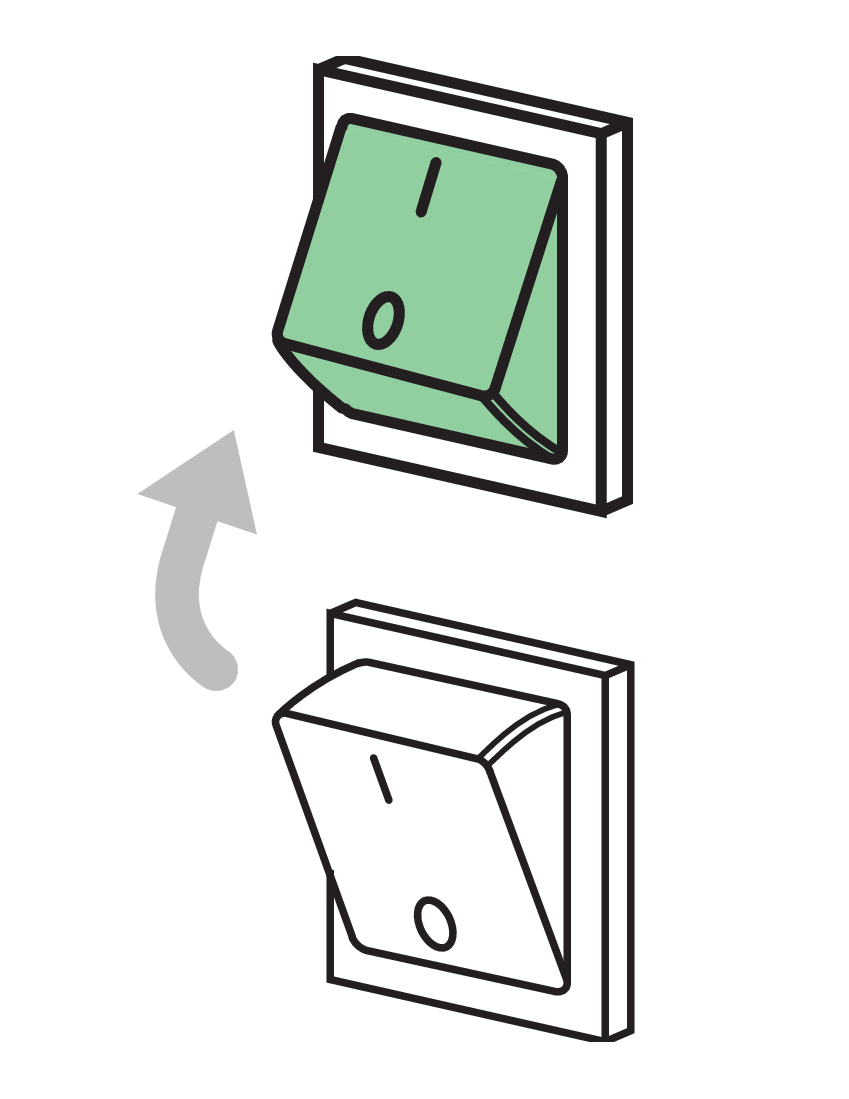
EGYM equipment should always be started and shut down using the power switch provided.
Caution
Do not use residual current circuit breakers (RCCB) or overcurrent protection devices (OCPD) to switch off the machines! Doing so could cause the RCCB switch to develop a fault, which in turn could cause surge voltage in the electronic circuit and irreparably damage your EGYM hardware.
If you would like to switch all your EGYM equipment on and off at once in order to save time, a panel switch must be installed specifically for this purpose by a qualified electrician, in addition to any residual current circuit breakers (RCCB) / ground fault circuit interrupters (GFCI).
Electrical requirements
Power requirements
* If you are using a connected scale, see Integration of body composition and platform scales for additional requirements.
Connection requirements
Caution
Each EGYM machine must be connected directly to a separate power outlet. The use of extension cables or multi-distribution sockets is not permitted.
The Fitness Hub is delivered with a 1.5 m (5 feet) IEC power cable (IEC 60320 C14).
Do not install the Fitness Hub seca edition near products that generate electrical interference such as fluorescent lights, large AC motor equipment (vibration plates, refrigerators, air-conditioners, compressors, etc.), high-frequency thermal therapy equipment, heating appliances (such as electrical or wall heaters or spotlights), solar inverters, laser systems (e.g., for hair removal), solariums, or electric vehicle chargers.
Caution
Have your electrician carry out a recurring inspection of your EGYM equipment and cabling in accordance with EN 50699 and hand over the inspection report to you. This report is required in the EU by law and should be part of the service provided by your electrician. Insist on a copy for your records.
Internet requirements
The Fitness Hub requires a fast and reliable internet connection provided via wired LAN. This ensures a great user experience and maximum connection stability.
So that the machines operate correctly, a DHCP server must be activated in the network.
All DHCP address spaces may be used apart from 10.9.x.x and 10.11.x.x, as these IP addresses are already used internally in the machines. Conflicts could occur if they are also used in the customer network.
So that sufficient IP addresses remain available, make sure that the DHCP server settings specify a short lease period (max. 12 hours).
We also recommend an address pool that caters for at least twice the number of planned end devices.
Available bandwidth of at least 5 Mbit/s (download) and at least 1 Mbit/s (upload) per EGYM machine is required.
When allocating network bandwidth, prioritize the network used by EGYM equipment. A consideration here may be the use of a dedicated line for the EGYM equipment, however this is not a must.
The Fitness Hub is delivered with a 2-meter (6 feet) LAN cable. If a longer cable is required, we recommend a CAT6 LAN cable.
The LAN connection port is located at the rear of the tower at the base plate.
You can use the LAN cable to connect the machine to a LAN port in a floor box.
Please note that incorrectly configured Firewalls could cause issues with the EGYM machines. However, if firewalls and MAC filtering are configured in your network, allow exceptions for the IP addresses and ports in the following table to facilitate outgoing connections.
Description | Destination host | Destination ports |
|---|---|---|
Training, updates, device status | 104.199.66.167 35.189.221.132 104.199.91.64 146.148.19.217 104.155.57.166 146.148.15.175 3.127.32.71 18.156.48.111 3.124.243.61 52.37.226.173 35.84.145.167 35.81.42.122 | TCP: All ports |
Remote maintenance | 35.198.87.78 212.114.251.94 192.158.31.31 | TCP and UDP: All ports |
Domain Name Service (DNS) | 8.8.8.8, 8.8.4.4 | TCP and UDP: Port 53 |
NTP Server | Please enable access | |
Installation location
The Fitness Hub must be placed on a firm, stable, level, and non-reflective surface with sufficient load-bearing capacity for the weight of the device. Black flooring and thick carpeting should be avoided.
To ensure accurate camera measurements:
The Fitness Hub should not be exposed to direct sunlight or face any reflective surfaces (mirrors, windows, glass doors, etc.).
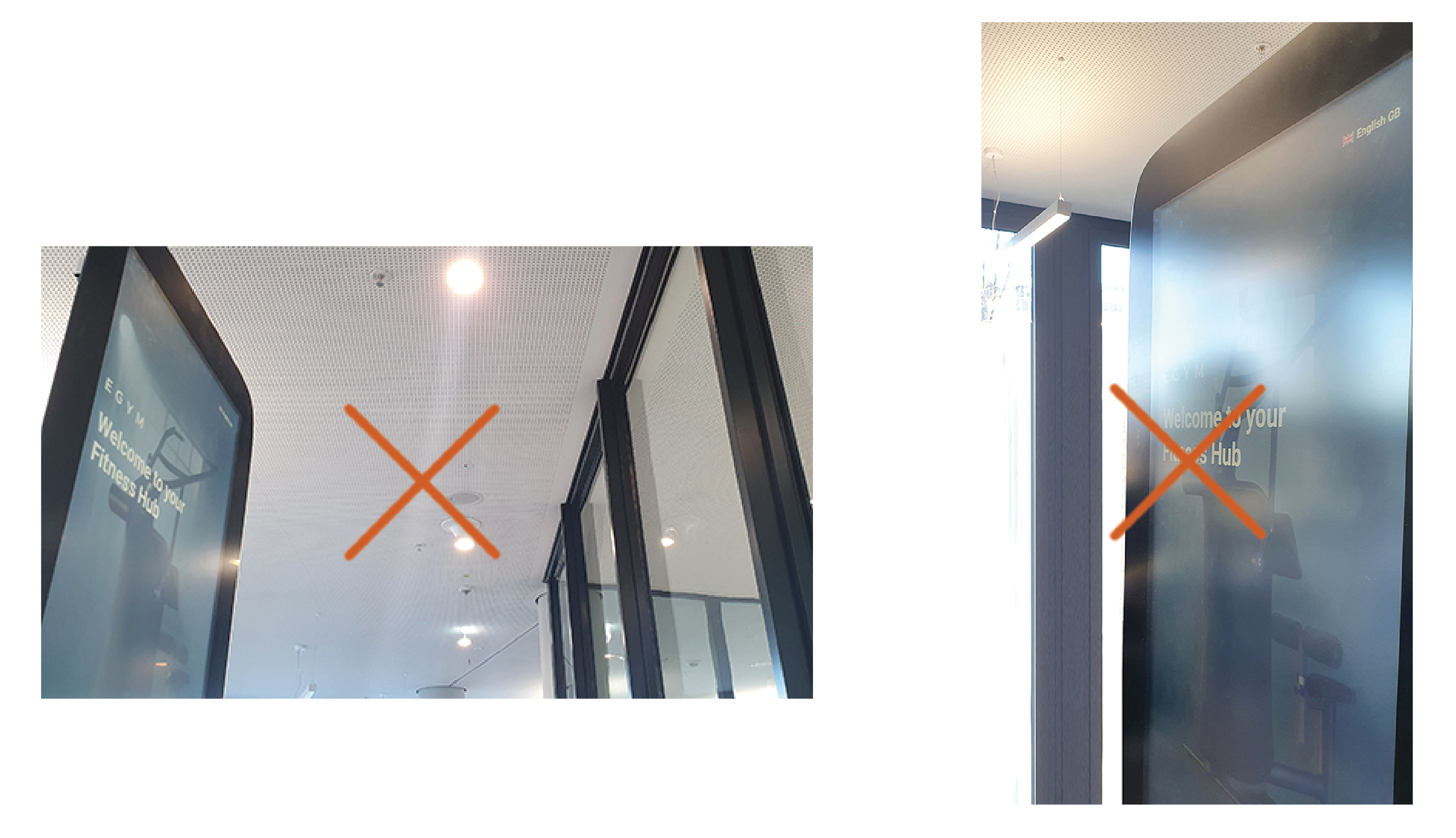
Lights (such as spotlights) should not point into the camera lens or in the direction of the camera.
Fitness Hubs should not face each other as this could cause interference when onboarding several gym members at the same time. Place Fitness Hubs side by side instead.
The Fitness Hub should not be placed next to fitness equipment that causes strong floor vibrations (e.g., treadmills or squat racks). Strong vibrations can cause errors in the camera calibration.
Where possible, the screen should face towards a wall to ensure privacy when personal data is entered.
If you need to move the machine to a different location, for example to improve measurement reliability, contact EGYM Support for assistance.
Machine weight | Dimensions (length x width x height): | |
Fitness Hub | 67 kg / 148 pounds (incl. Flexibility Stick) | 806 x 606 x 1850 mm 2'6" x 1'10" x 6'1" |
Fitness Hub seca edition | 90 kg / 199 pounds (incl. Flexibility Stick) | 730 x 1100 x 1850 mm 2'5" x 3'7" x 6'1" |
Fitness Hub
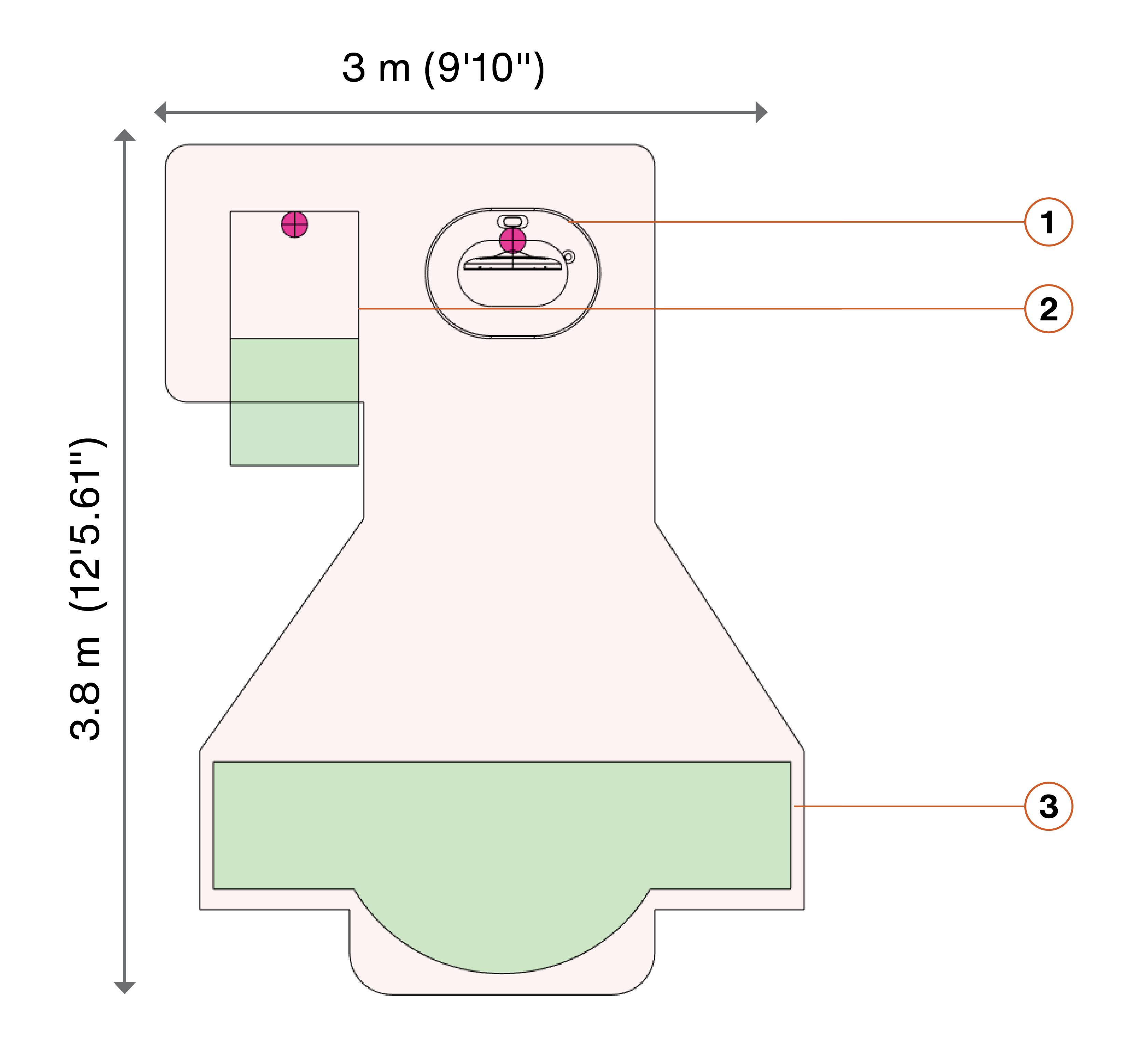
EGYM Fitness Hub
Connected body composition scale
Designated standing area
Note
Fitness Hubs with the Microsoft Kinect (horizontal) camera need 20 cm extra space between the camera and the standing area.
Fitness Hub seca edition
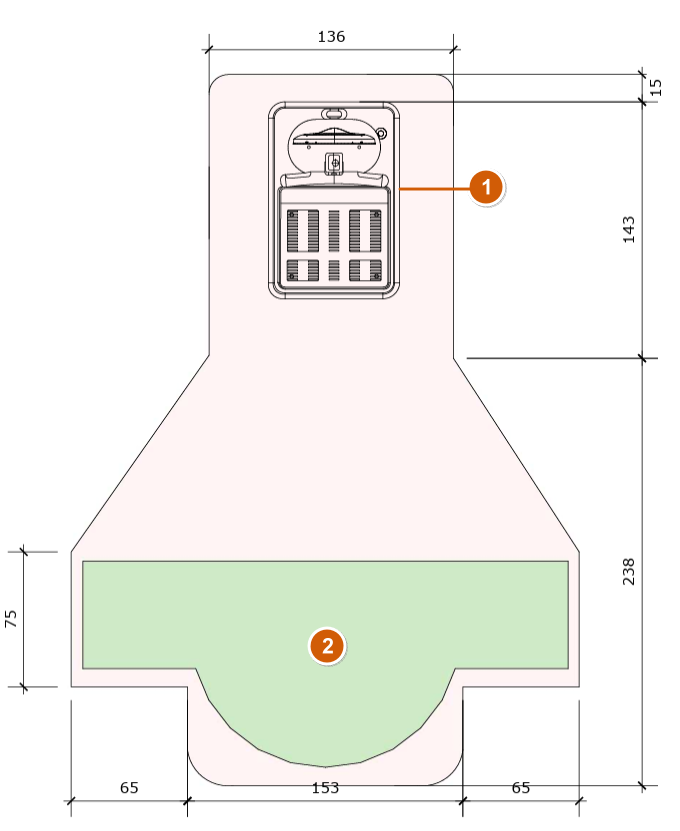
EGYM Fitness Hub seca edition
Designated standing area
Integration of body composition and platform scales
A separate power outlet is recommended for the connection of a body composition or platform scale.
UK/ AU: 230 V / 13 A
US: 120 V / 15 A
Germany: Use a standard 230 V / 16 A power outlet
InBody / Tanita scale
A 1.8 m USB A to USB B cable is delivered with the Fitness Hub for connection of a Tanita or InBody scale.
Seca scale
Caution
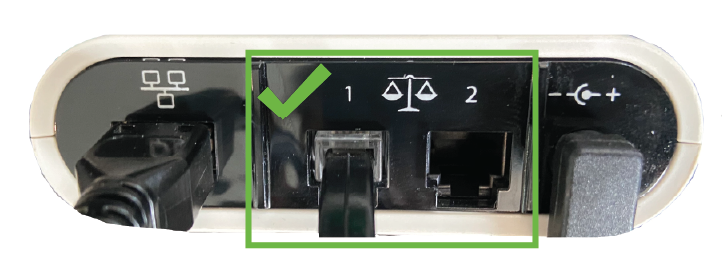
The Seca platform scale is connected to the Fitness Hub using the modem cable plugged into the Seca connection module. To prevent damaging the scale, always make sure to only connect the modem cable to the black modem port of the connection module as shown below. Never plug the modem cable into the gold-silver Ethernet port of the Fitness Hub as this can damage it.
A Seca platform scale can be purchased directly from EGYM.
Visit https://egym.com/uk/fitness-hub-compatible-scales for a full list of other compatible third-party scales. These can be purchased from the respective manufacturer.
Some third-party scales require prior activation so that they can be integrated in the EGYM cloud. Contact EGYM Order Management for details.
For further instructions on correct placement and cabling, consult the user manual of your body composition scale.
Cabling
This section provides some ideas for different cabling configurations for EGYM equipment. As there are benefits and disadvantages in each case, and because each gym is different, we recommend consulting a site planning expert to help you choose a custom configuration for your gym.
The Fitness Hub has an opening at the back of the base plate to allow cables to be easily passed through and potentially hidden.
Any cables that protrude out of floor boxes should be laid as flat as possible to allow for cable routing.
The Fitness Hub should not be placed directly on top of a floor box. Leave approximately 5-6 cm (1.97 - 2.36 inches) of space between the floor box opening and the back of the base plate.
Fitness Hub
Fitness Hub seca edition
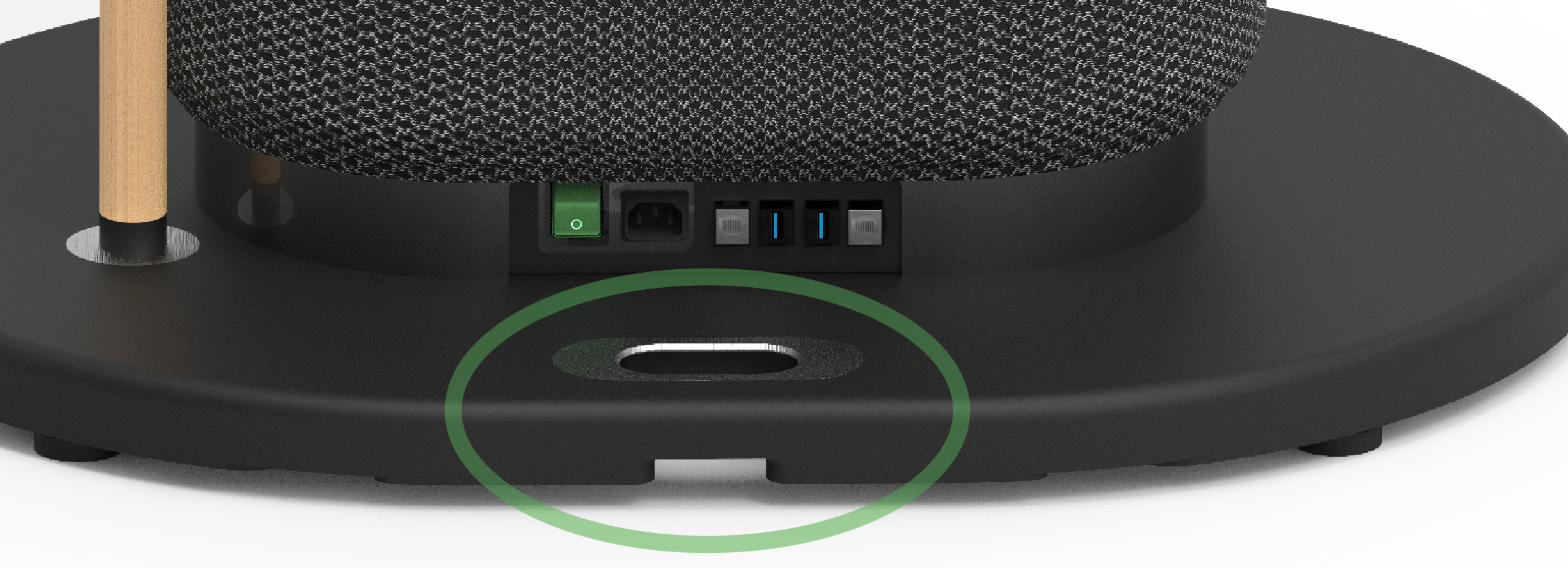
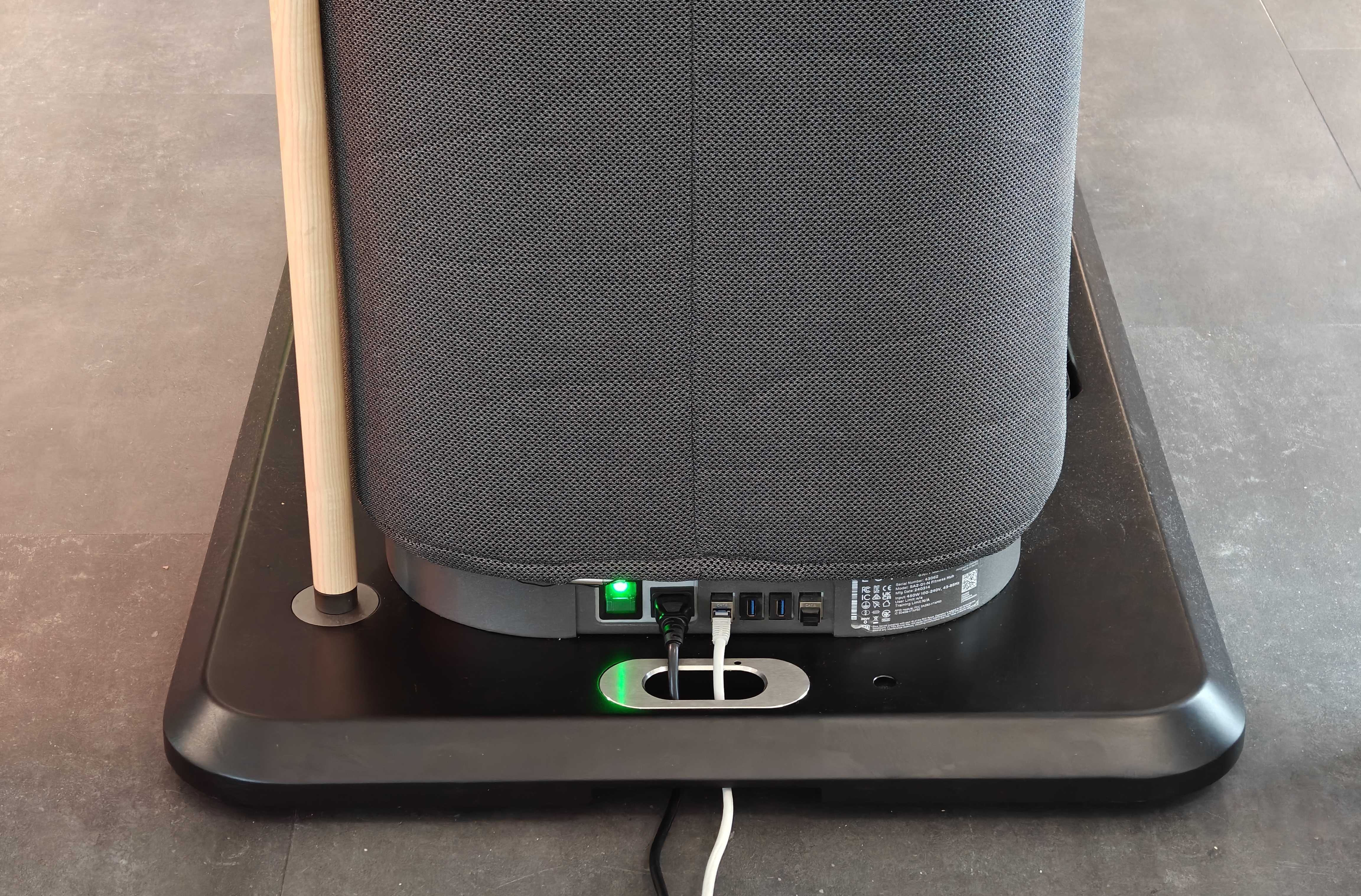
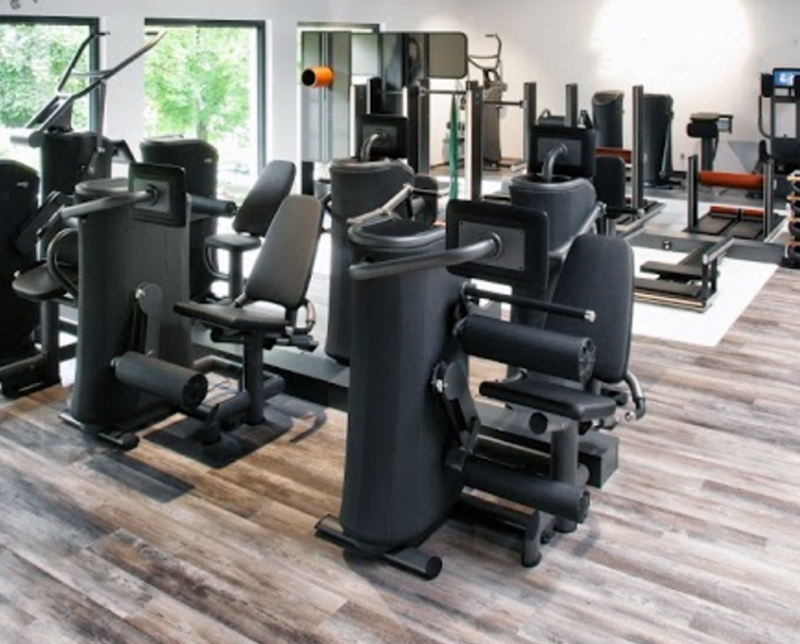
A housing box with sockets and network cable connections can be installed directly behind one or between two rows of machines. This is a potential option, for example for existing gyms.
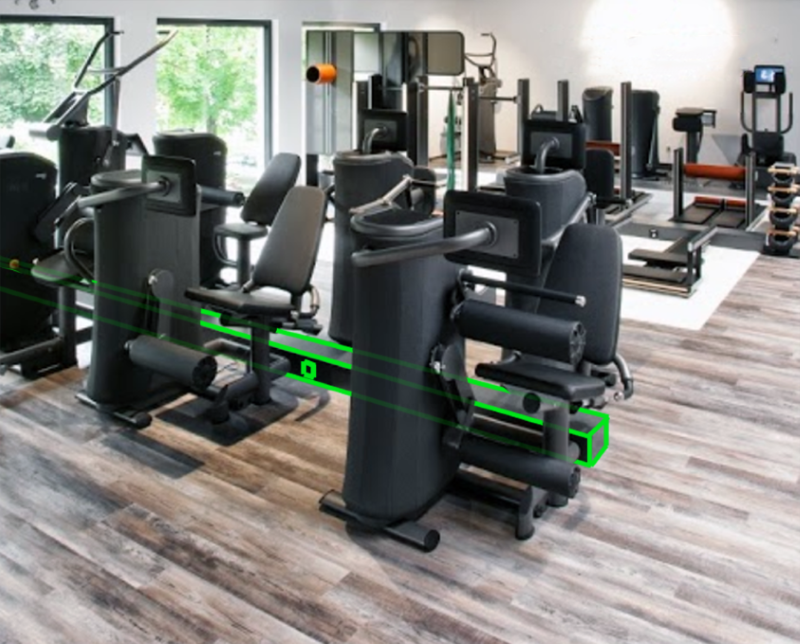
 Advantages
Different design options possible
Very low additional space requirement
Cabling almost invisible
No danger of tripping over cables
 Disadvantages
Requires the machines to be set up side-by-side
Housing box could be a tripping hazard
Sockets and network cable connections are hidden in floor boxes. The cables are only partly visible, running from the box to the machine. The machines are located beside the boxes. This is a potential option, for example for new gyms.
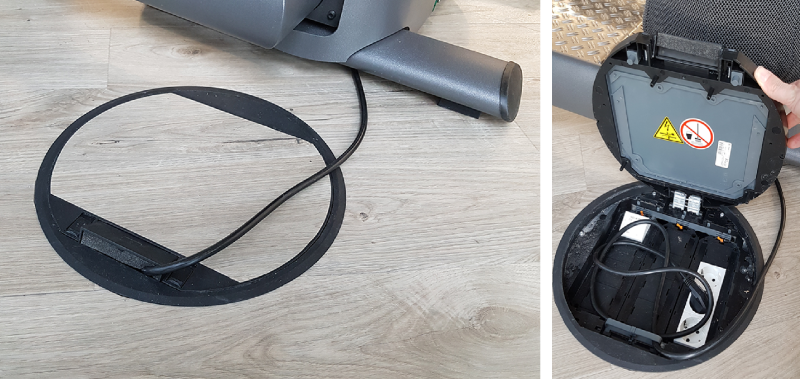
Tip
Floor boxes with smaller dimensions and fewer connections are also available.
Advantages
Possible with any arrangement of the machines
Cabling almost invisible
No additional space required
Disadvantages
The required recesses may not be allowed, or it may not be possible to set them into the flooring.
Requires precise planning and compliance with equipment layout and floor box locations.
Sockets and network cable connections are hidden in floor boxes. The cables are only partly visible, running from the box to the machine. The machines are located beside the boxes. This is a potential option, for example for existing gyms.
Tip
Floor boxes with smaller dimensions and fewer connections are also available.
Advantages
Possible with any arrangement of the machines
Cabling almost invisible
No additional space required
Disadvantages
The step to the platform could be a potential tripping hazard.
Requires precise planning and compliance with equipment layout and floor box locations.
Cables running through cable trunks.
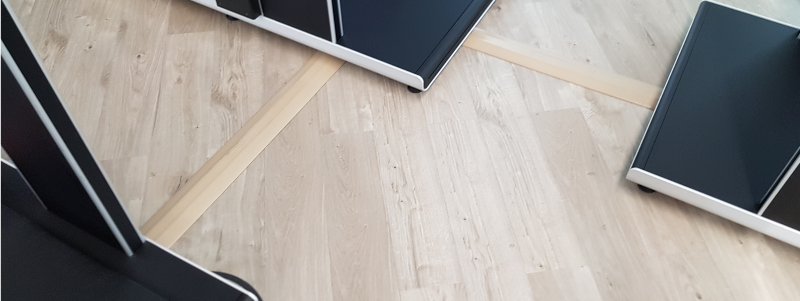
Advantages
No additional space required
Cables can be laid quickly and with little effort
Disadvantages
Limited cable capacity: Only a small number of cables can be fed through the cable trunking.
Cables can be accidentally torn out of the machine if someone trips over loose cable trunking. It is therefore imperative that the cable trunking is firmly glued or screwed to the floor.
Cable trunking is not available in many colors and usually noticeably different from the floor.
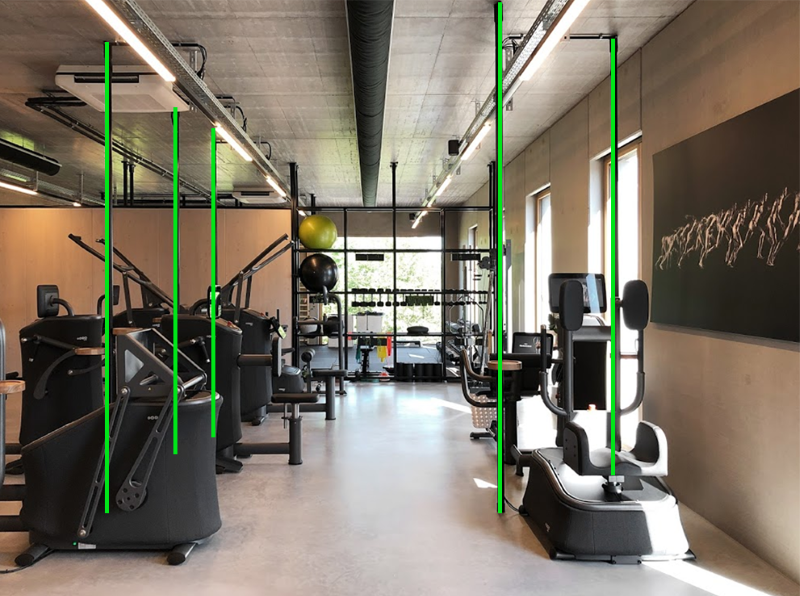
The power and network cables are routed through tubing that extends from floor to ceiling.
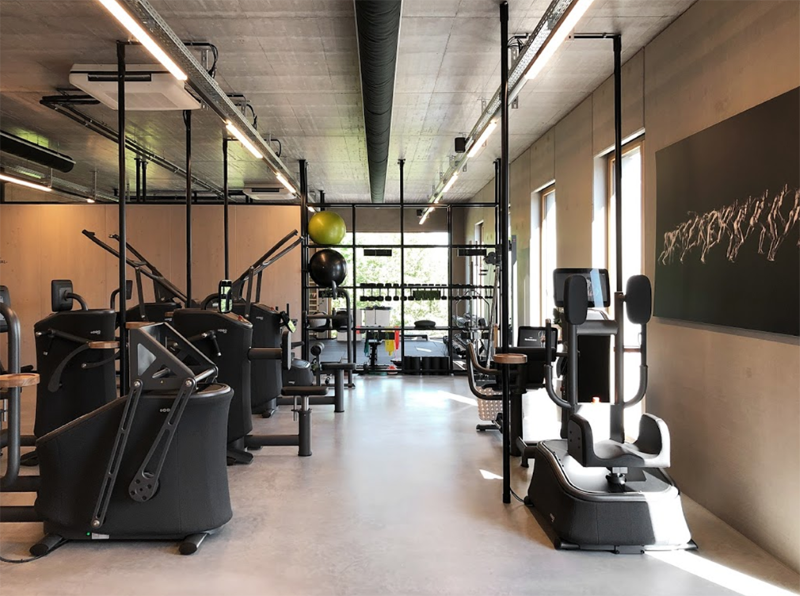
Advantages
Possible with any arrangement of the machines
Only a few centimeters of cable are visible per device
Very little additional space required
Low risk of tripping over the cables
Disadvantages
Tubing can cause obstructions and pose a risk of injury if placed unfavorably
Significantly changes the appearance of the room
Possibly unattractive if cables/cable ducts are visible on the ceiling
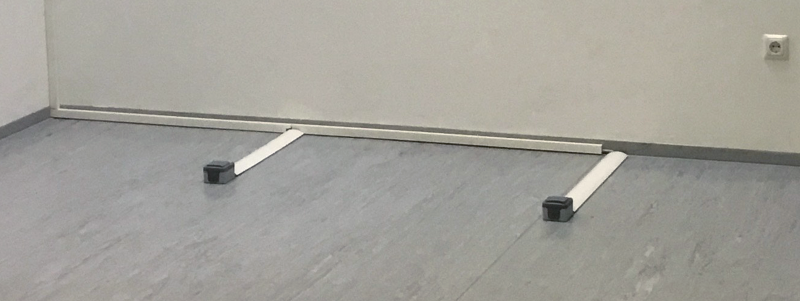
Cables running through cable trunks to surface mounted boxes.
Caution
There is not enough space for surface-mounted sockets to be located under EGYM machines. EGYM machines must therefore not be placed above any surface-mounted sockets.
Caution
This could lead to the machines being damaged.