Scale connection
Purpose
This article explains how to manage the Fitness Hub scale connection in your gym using the Business Suite. Refer to this guide during the initial Fitness Hub setup or when replacing a scale.
Before you start
You must have access to the Business Suite with admin rights.
Your gym must have at least one Fitness Hub seca Edition or Fitness Hub with a compatible external scale connected.
Manage the Fitness Hub scale connection
Open the Business Suite.
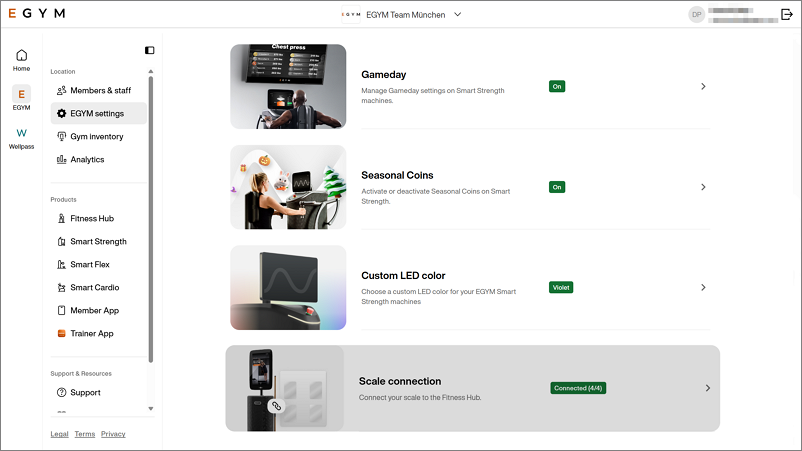
Select > Scale connection from the main navigation.
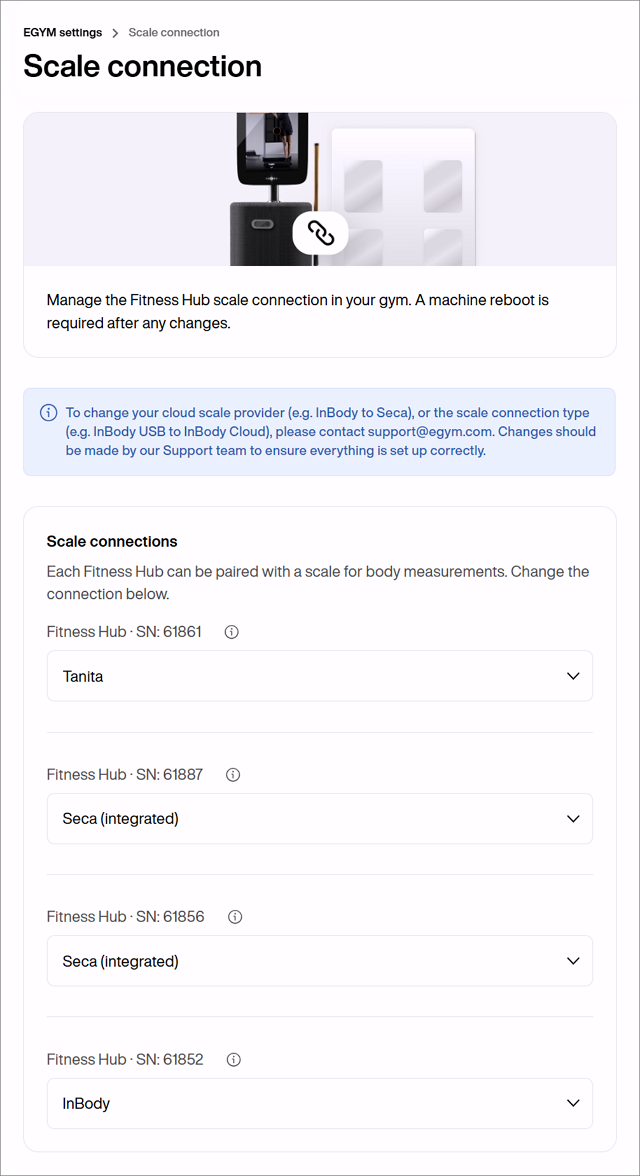
Select the Scale connection tab to see a list of Fitness Hub devices in your gym.
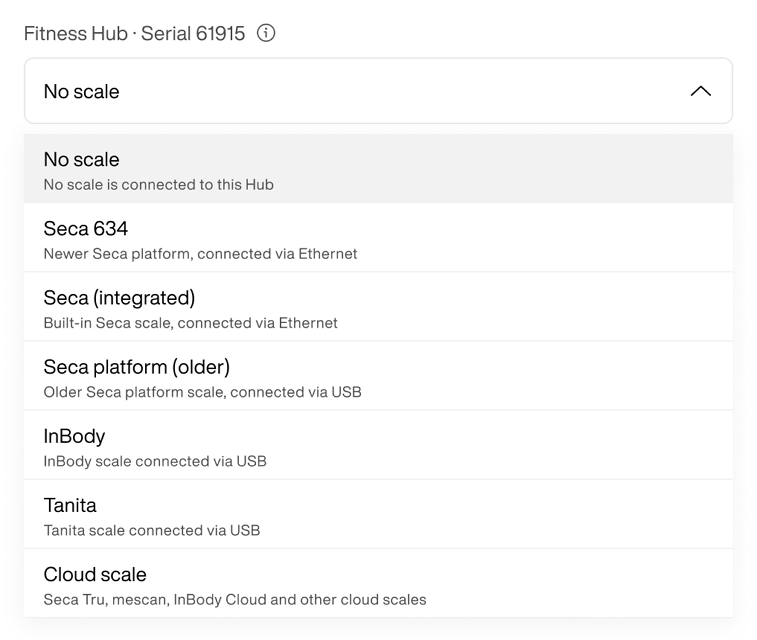
For each listed device, you can select a scale from the dropdown menu.
Uwaga
You can connect only one scale to each Fitness Hub. Each device is listed with its serial number as an identifier. The scale selection dropdown lists all available scales—including cloud scales—along with each device's brand and connection type (Ethernet or USB). It also indicates whether a scale is integrated into the Fitness Hub.