Manage task chains
You can edit task chains in the Business Suite for the Trainer App.
In the Business Suite, go to > and click .
Select the task chain you want to manage.
Edit the task chain title, triggers, task titles, and remove individual tasks as needed.
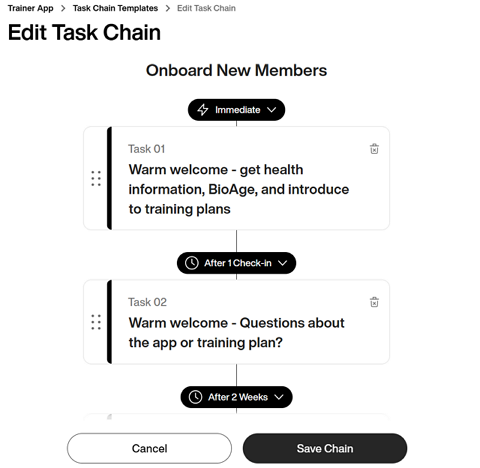
Once done, click .