Overview of EGYM Smart Strength Series 3 machines
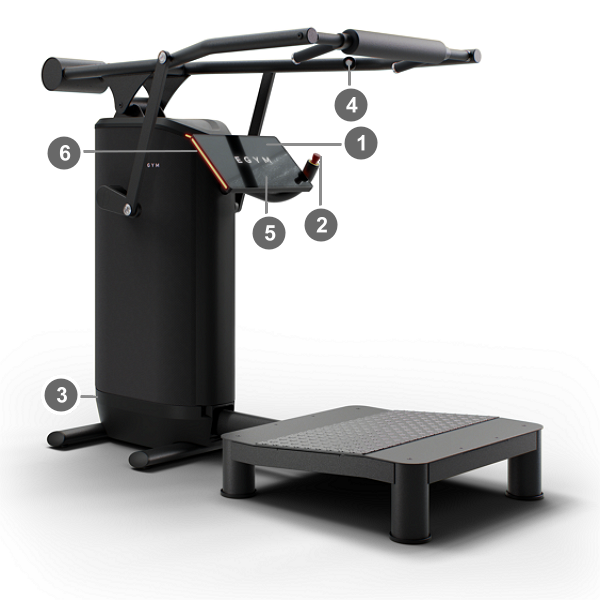
EGYM Smart Strength machines are automatically adjusted to fit a user, based on user height and weight. The machines use motor-driven resistance to set the training weight. If a member is logged in while exercising, training data is recorded and saved to their EGYM account.
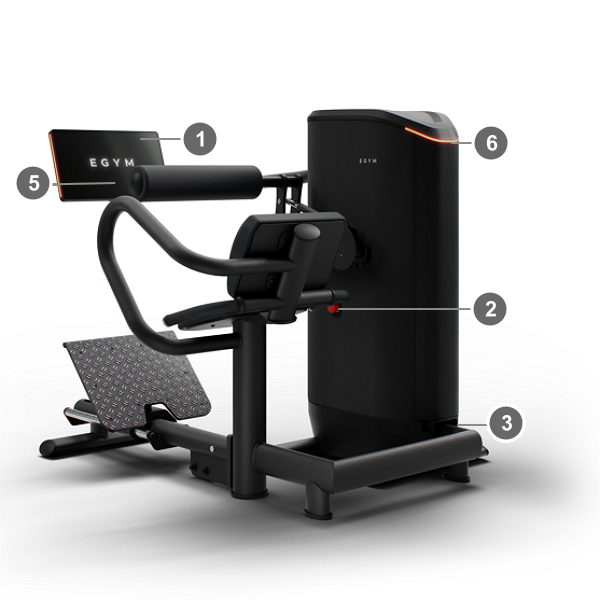
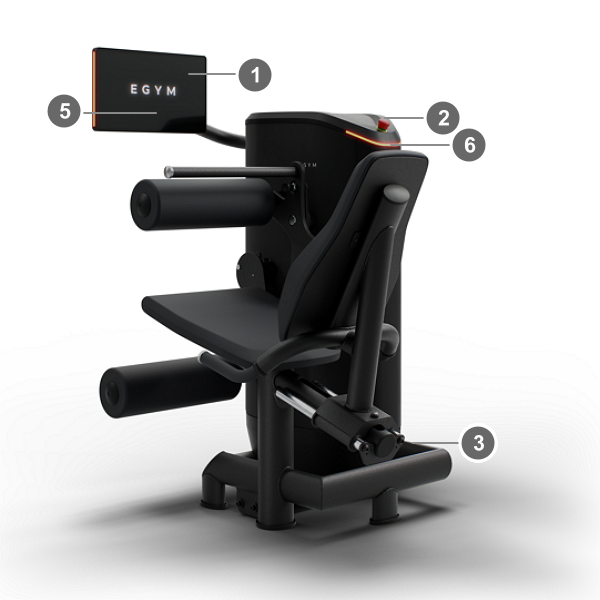
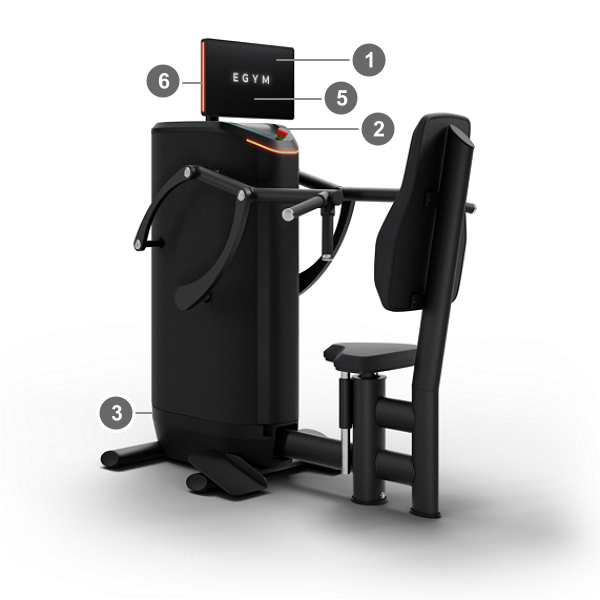
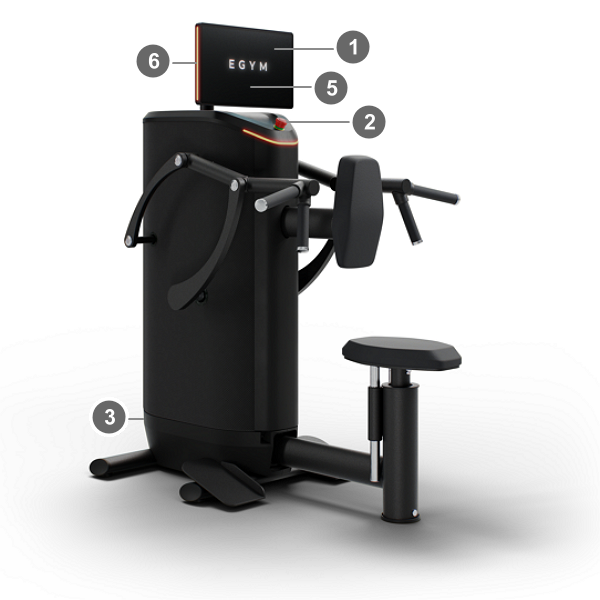
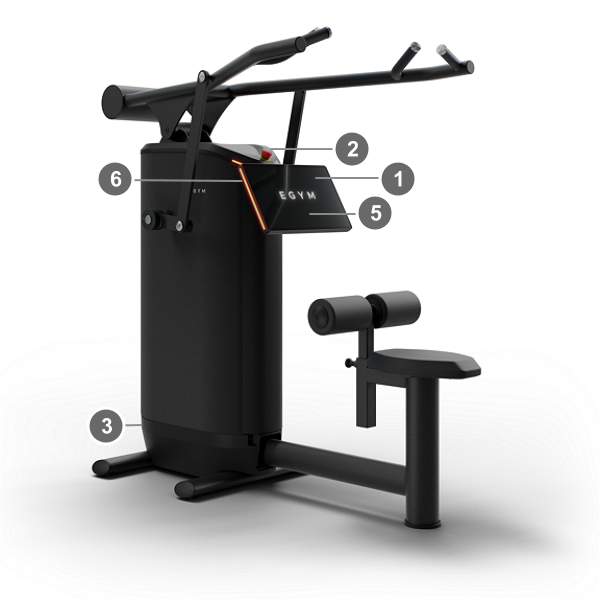
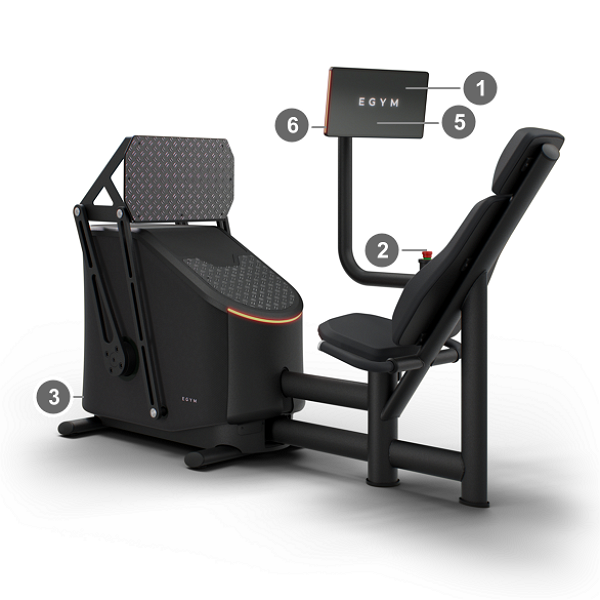
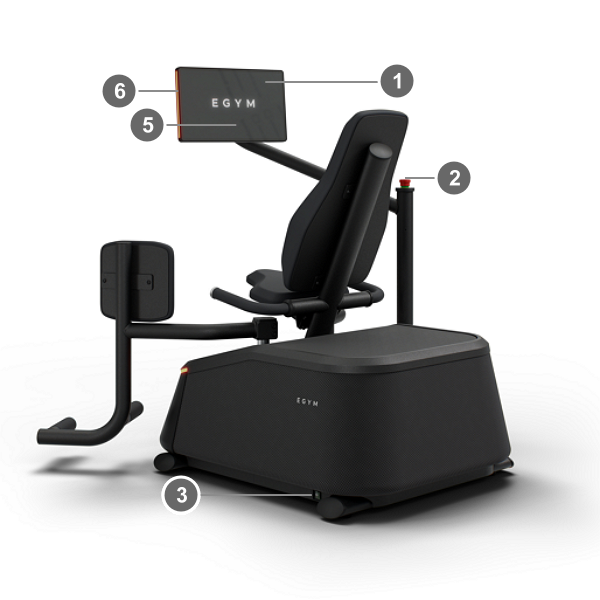
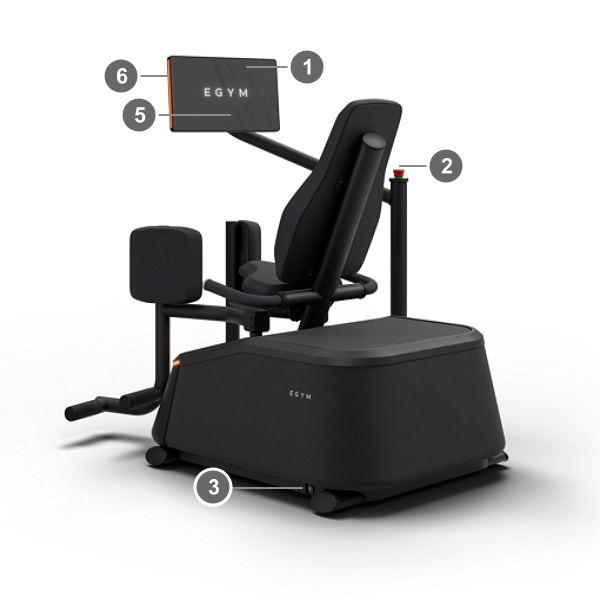
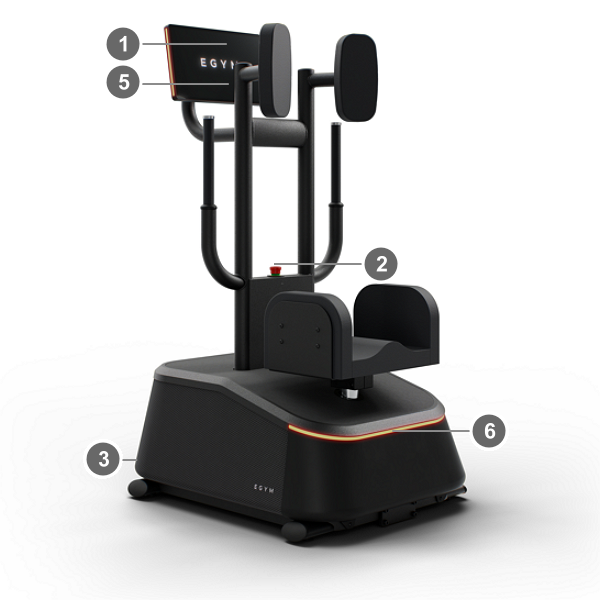
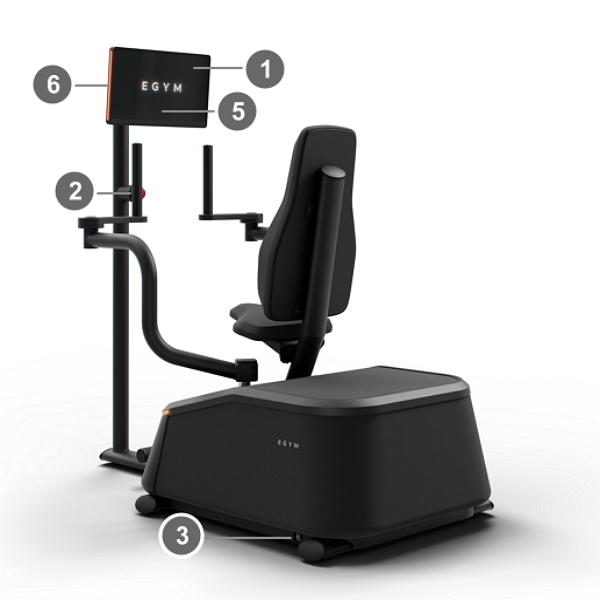
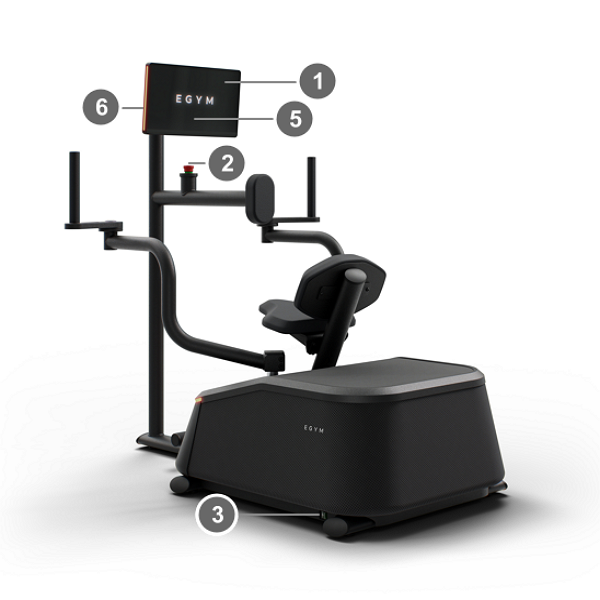
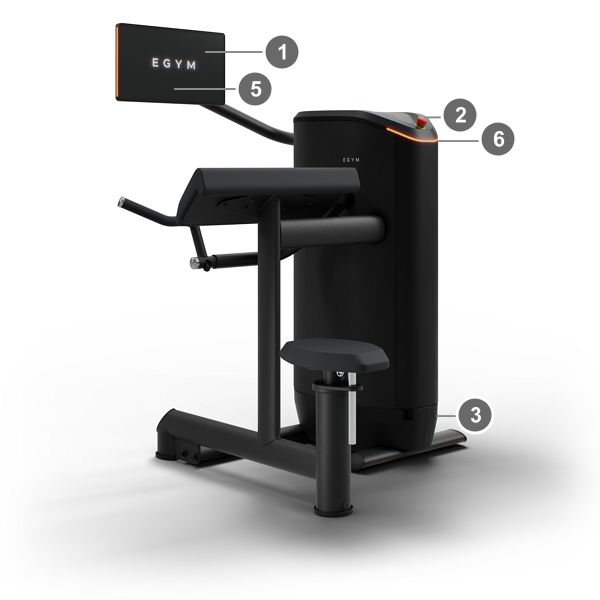
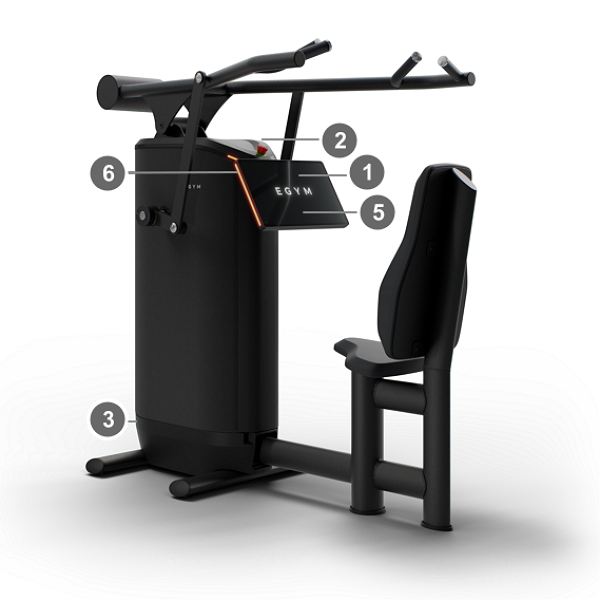
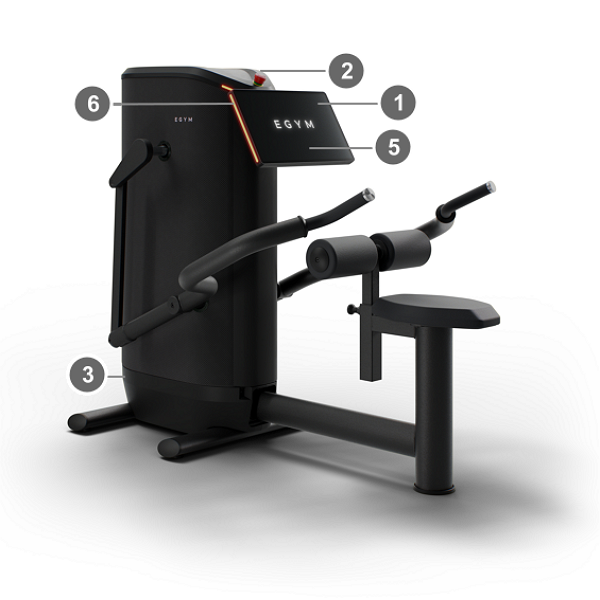
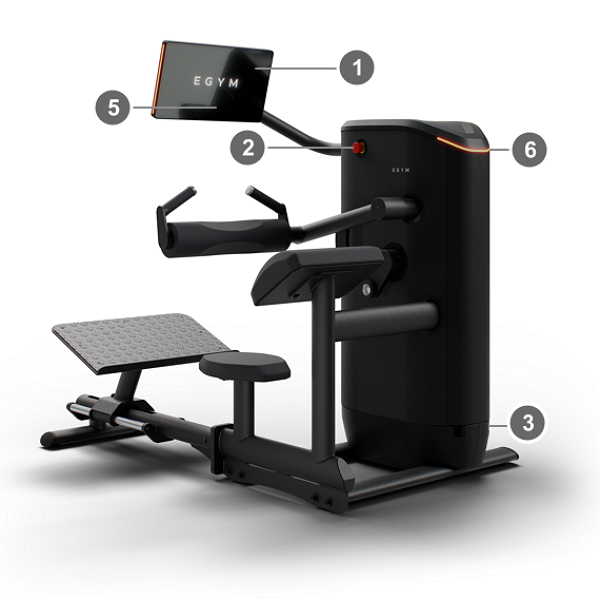
- 1 Display
Displays exercise guidance.
- 2 Emergency stop button

Press to eliminate training resistance by interrupting the power supply.
- 3 On/off switch
Located at the bottom of each machine on the frame; the exact location varies.
- 4 Easy-Stop button
Non-emergency button that eliminates training resistance on the M2 Abdominal Crunch and M20 Squat machines. On the M20, pressing the button also lifts the bar into the start position.
- 5 RFID / NFC reader
Located centrally in the lower section of the display; used for user login.
- 6 LEDs
LED strips on the machine and display that change color depending on the machine configuration.
- Radio module
EGYM machines are equip with a radio module.
Operating frequency band: 13.56 MHz
Maximum radio frequency power (EIRP): 7.5 A/m
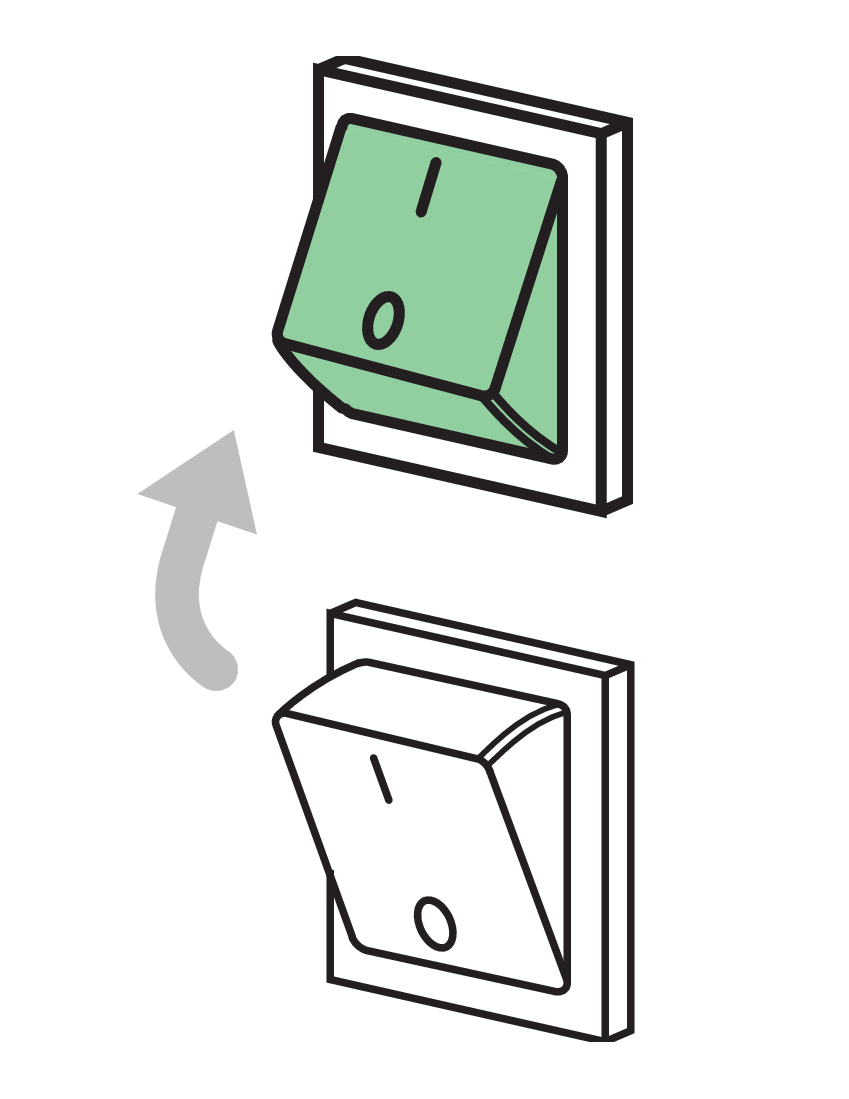
EGYM equipment should always be started and shut down using the power switch. To completely disconnect the machine from power, you must unplug the power cable.
After an EGYM Smart Strength machine is switched on, the motors move through the entire range of motion. Keep away from moving parts, and make sure the machine's field of movement is not obstructed.
If the power supply fails, the machine will restart automatically once power is restored. Workouts that are in progress when an outage occurs are not sent to the EGYM cloud.
Caution
Do not use residual current circuit breakers (RCCB) or overcurrent protection devices (OCPD) to switch off the machines. This could damage the machines. If you would like to switch all your EGYM machine on and off at once, a panel switch must be installed.
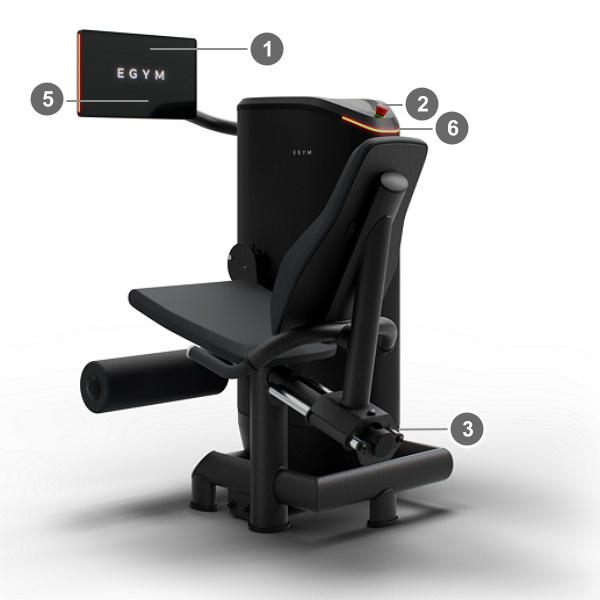 |
M1 Leg Extension
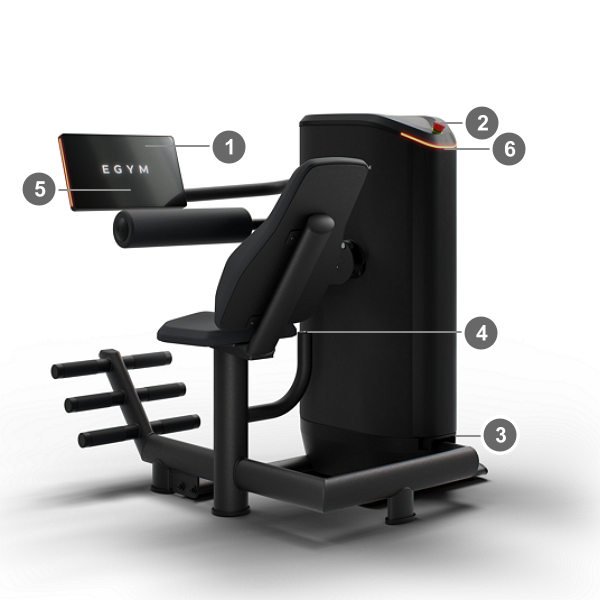 |
M2 Abdominal Crunch
 |
M3 Back Extension
 |
M4 Leg Curl
 |
M5 Chest Press
 |
M6 Seated Row
 |
M7 Lat Pulldown
 |
M9 Leg Press
 |
M10 Abductor
 |
M11 Adductor
 |
M12 Rotary Torso
 |
M13 Butterfly
 |
M14 Butterfly Reverse
 |
M15 Bicep Curl
 |
M17 Shoulder Press
 |
M18 Triceps
 |
M19 Hip Thrust
|
M20 Squat