EGYM Pro training modes
EGYM Pro offers two different training modes (Auto, Individual) that adapt to the user's needs and experience level.
To change modes, tap on the current training mode in the menu icon (top left). On the mode selection screen, select Auto or Individual.
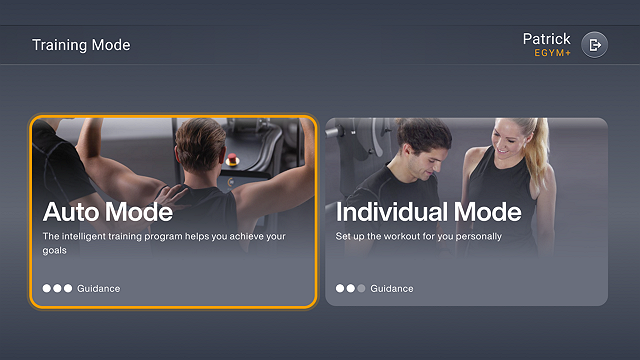
Auto Mode
EGYM recommends Auto Mode for members who want structured guidance.
Use of training programs (Basic or EGYM+).
Training settings are automatically defined by the training program.
Strength test scheduled after six days of training.
Live feedback always uses the EGYM curve.
Individual Mode
EGYM recommends Individual Mode for members who want full autonomy.
Configure your own training: method, repetitions, weight.
Settings are saved separately for each method and machine.
You can switch between live feedback options: curve (guided) and bar (free, non-guided) views.