Installation
Machine integrity and modifications
Smart Strength machines may only be operated indoors in a dry location with an ambient temperature of +10°C to +40°C / +50°F to +104°F.
Note
Contact support if:
the floor is uneven and you need custom space plates for the machine feet.
you need the machines fixed to the ground.
Detailed room planning guide
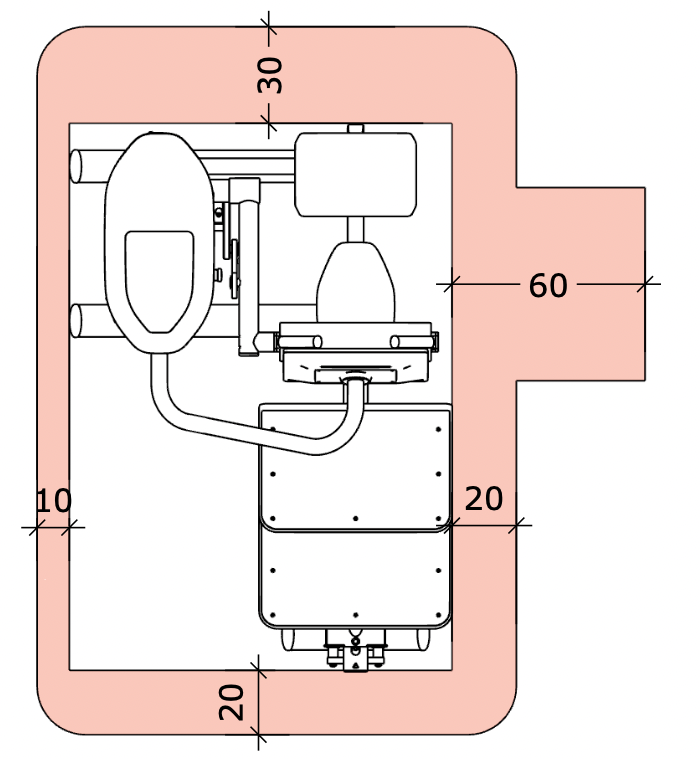
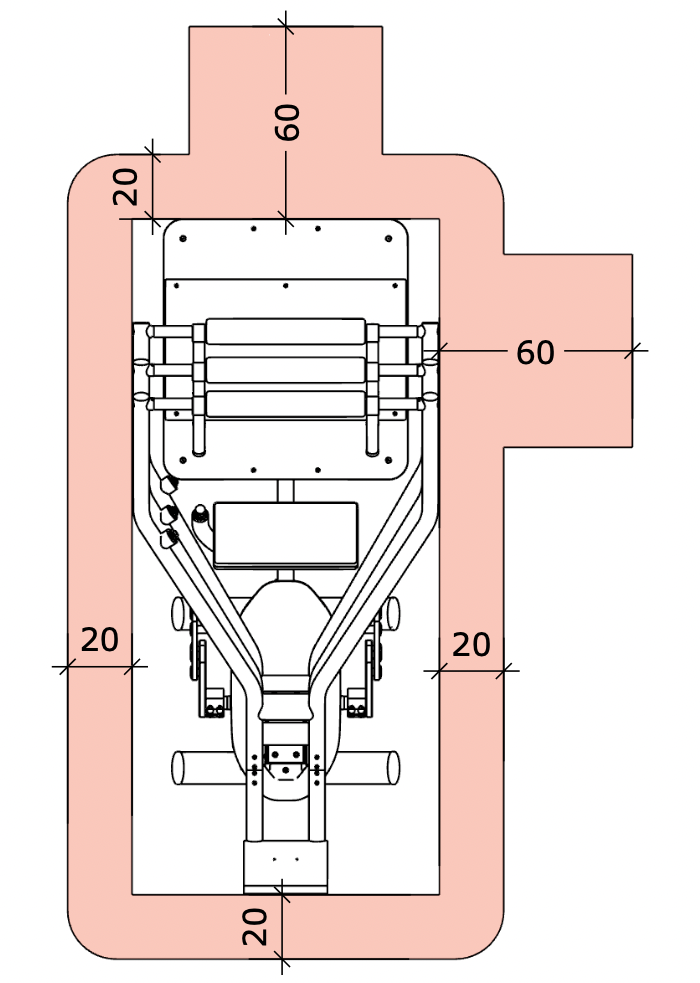
A full set of rules related to machine space requirements is available at https://knowledge.egym.com/en/manuals-and-compliance-documentation/machine-space-requirements.
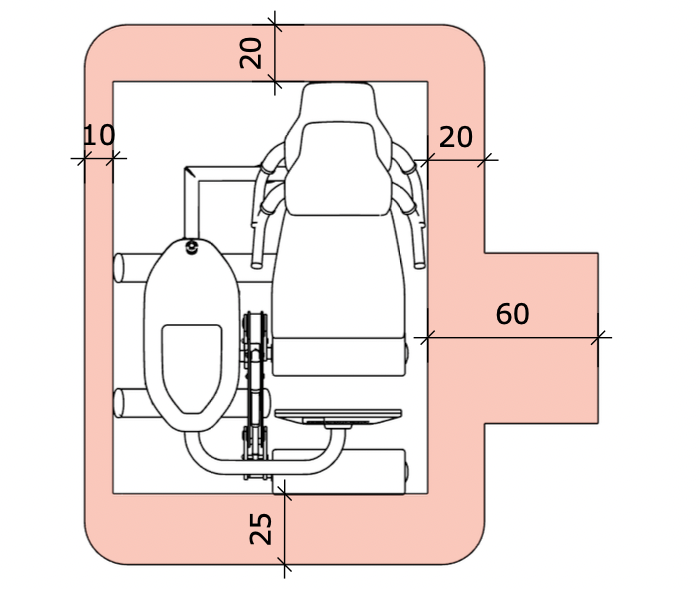
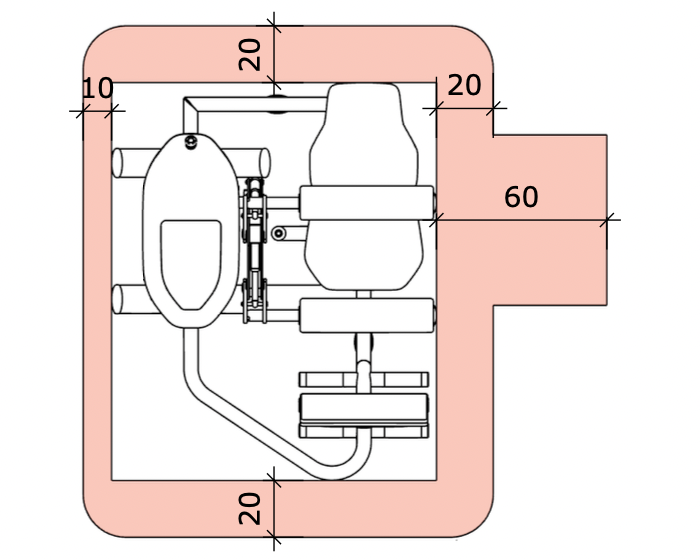
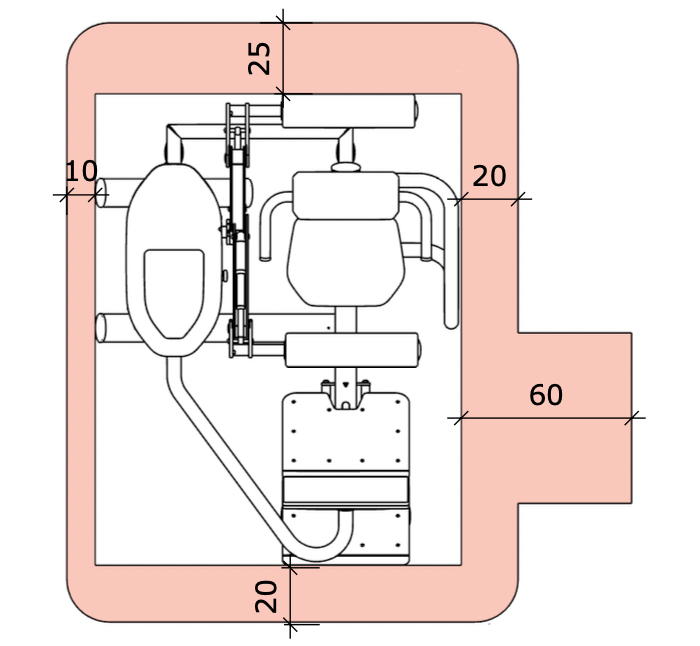
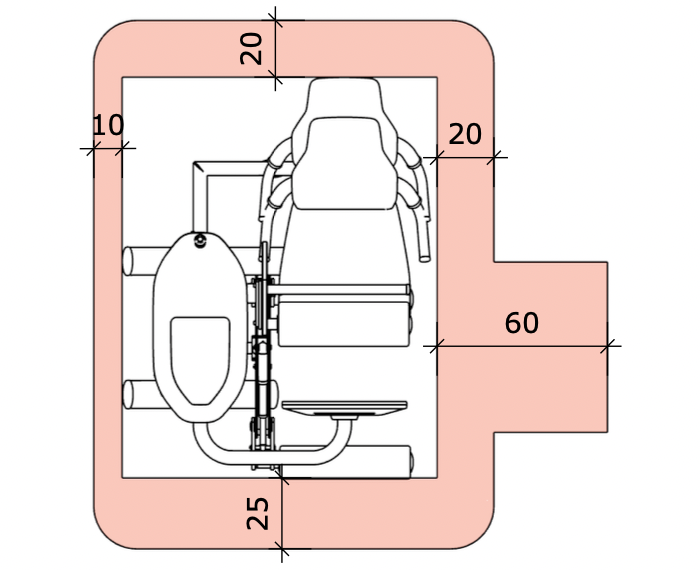
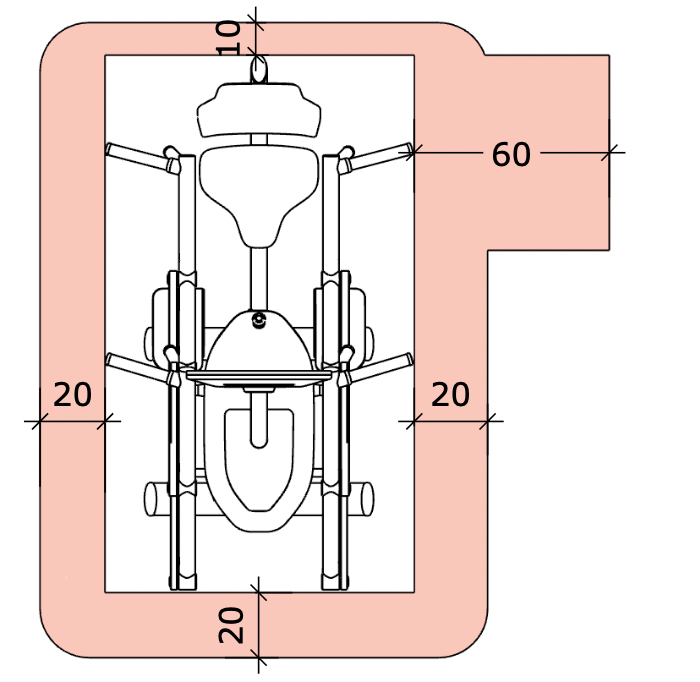
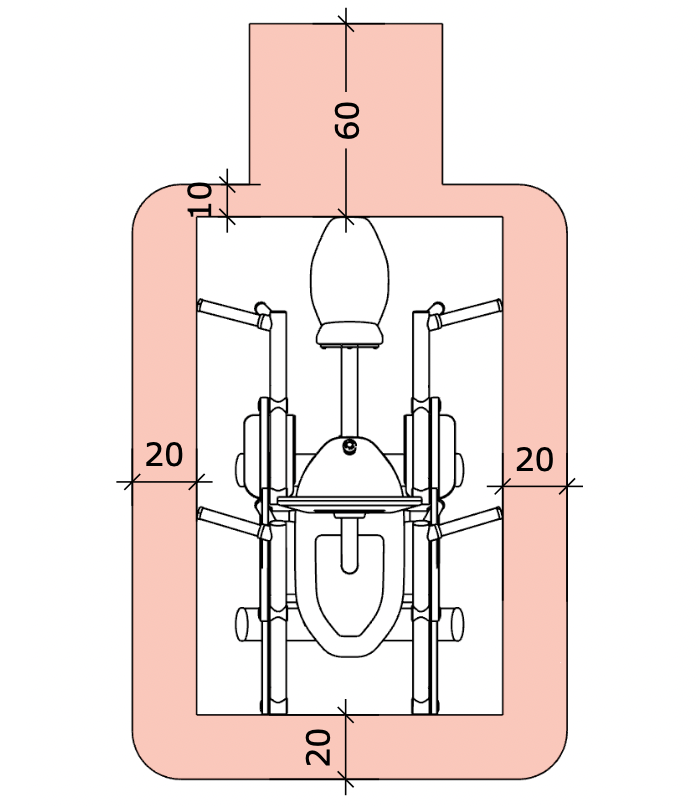
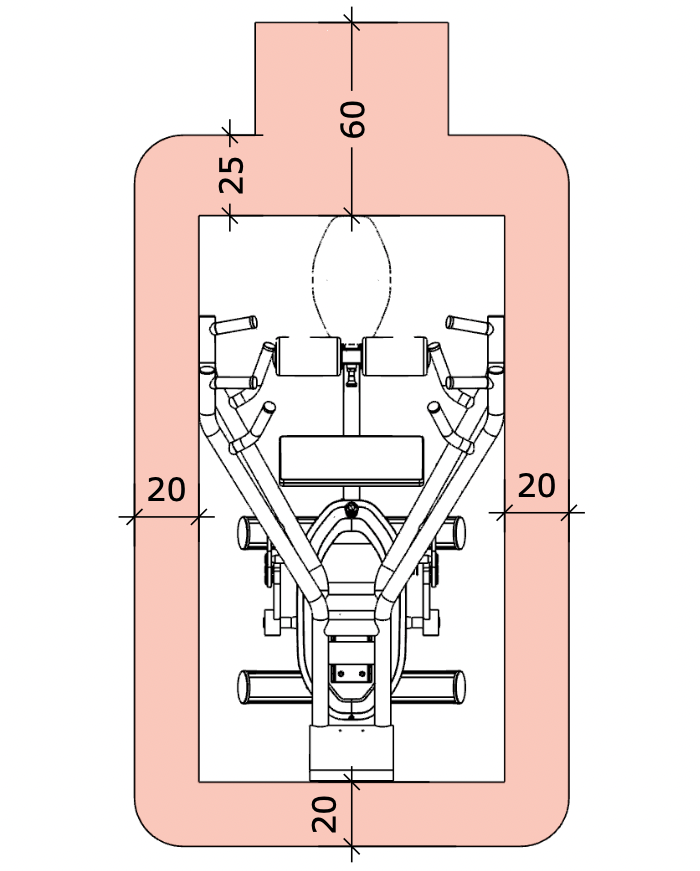
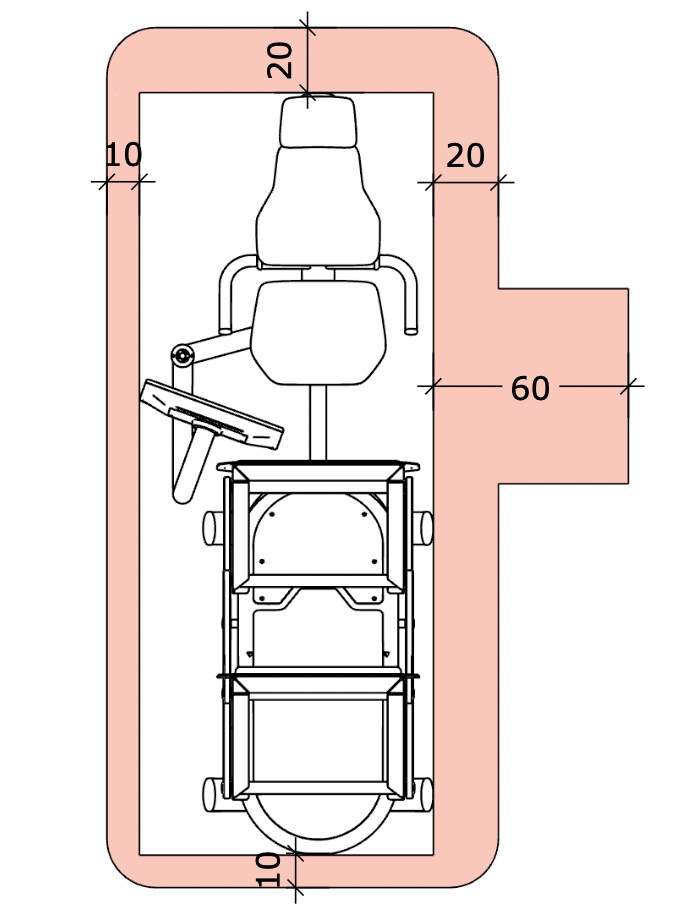
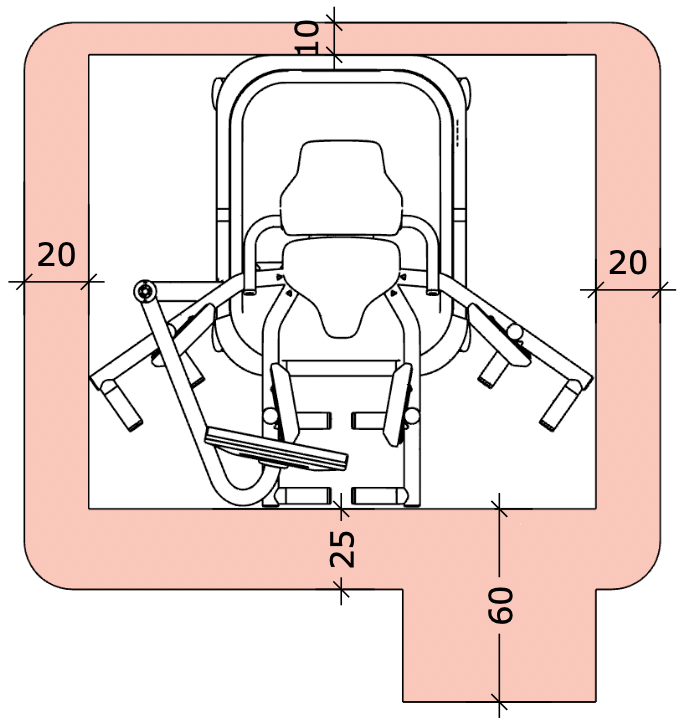
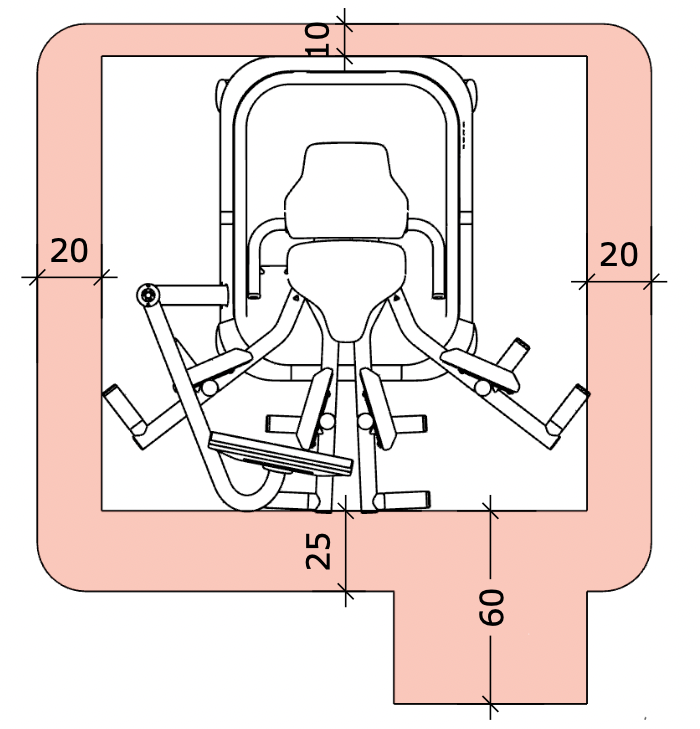
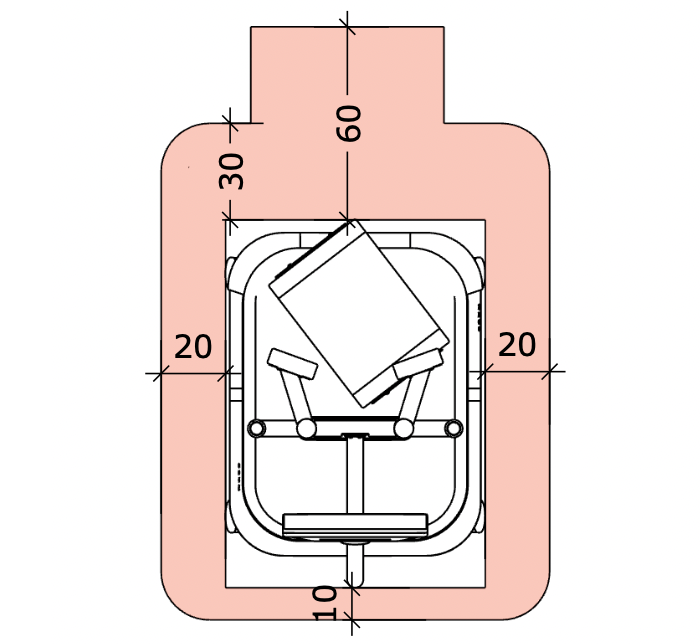
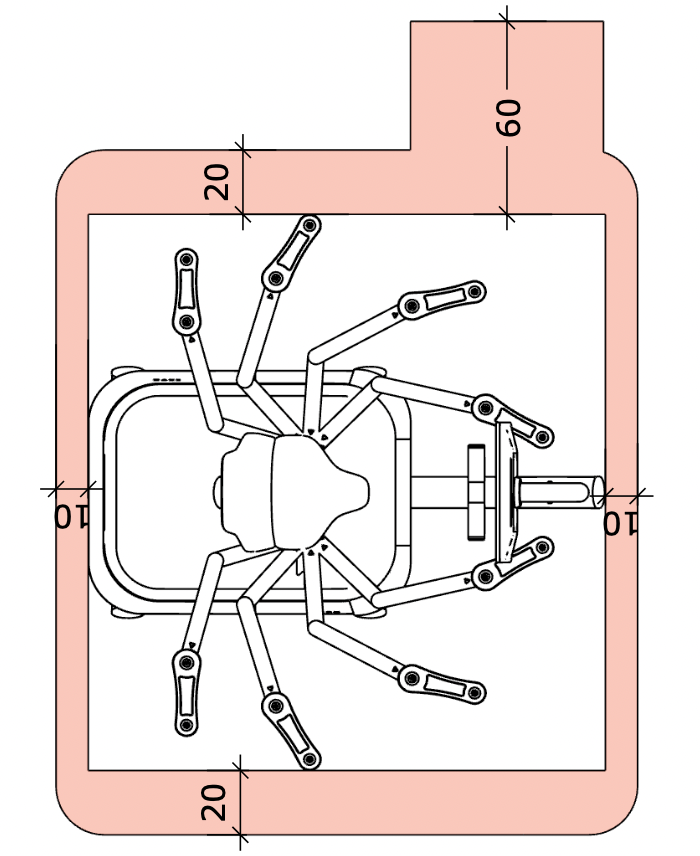
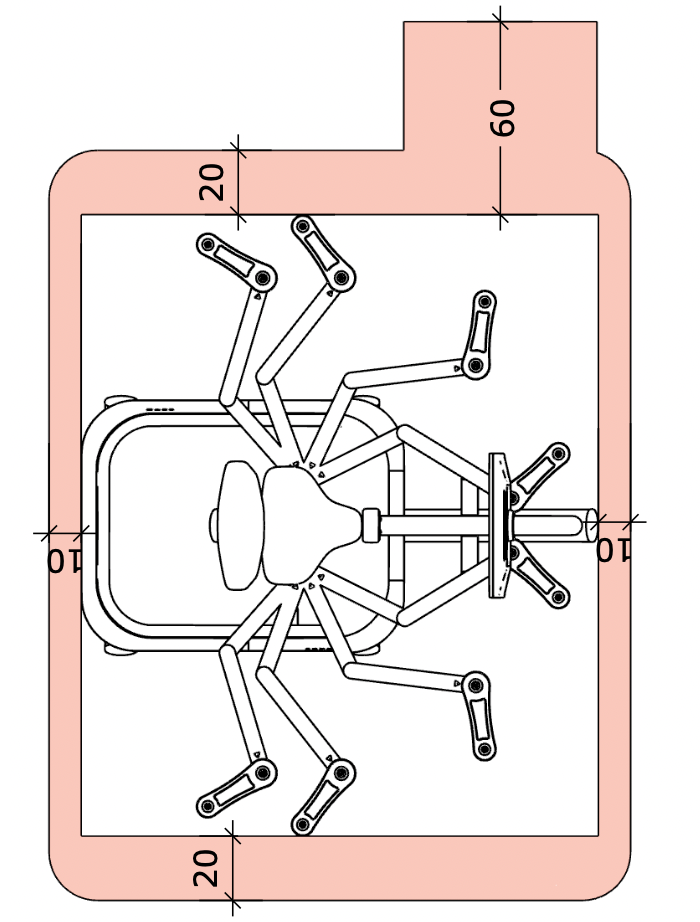
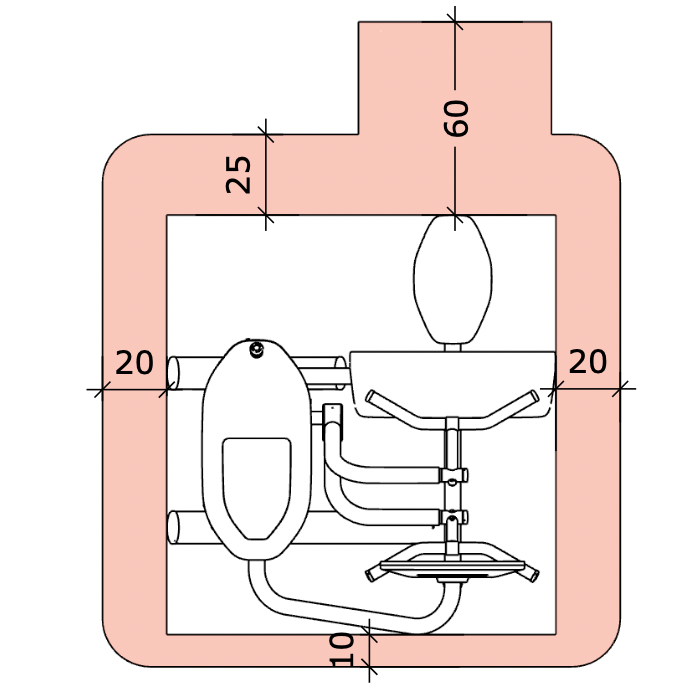
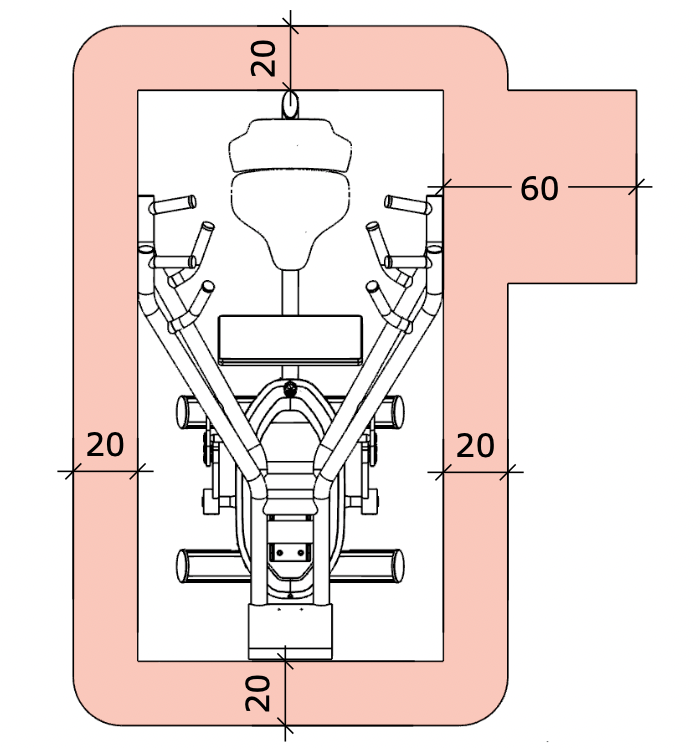
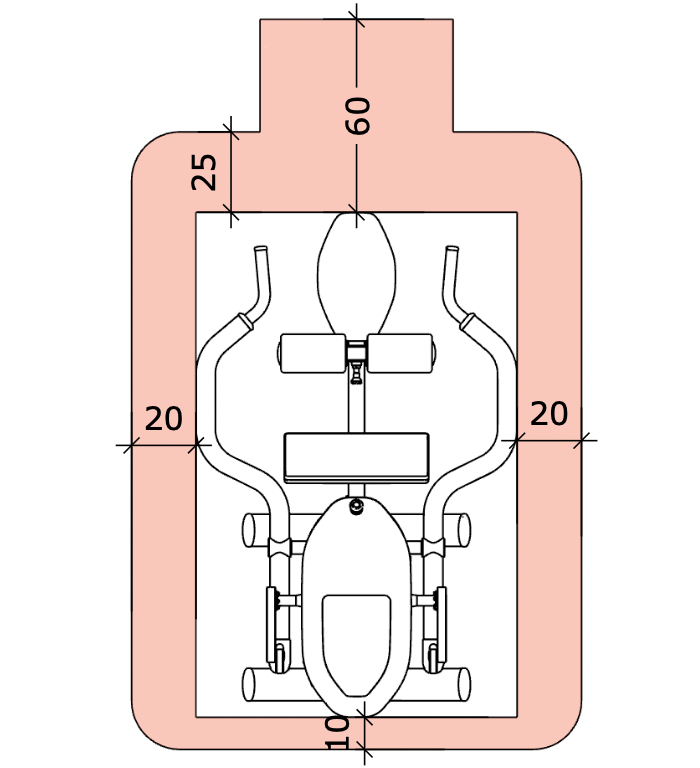
Recommended minimum space
Caution
An additional 60 cm of space is required to allow access to each machine. This space can be shared between machines.
M1 Leg Extension |
M2 Abdominal Crunch | ||
M3 Back Extension |
M4 Leg Curl | ||
M5 Chest Press |
M6 Seated Row | ||
M7 Lat Pull |
M9 Leg Press | ||
M10 Abductor |
M11 Adductor | ||
M12 Rotary Torso |
M13 Butterfly | ||
M14 Butterfly Reverse |
M15 Bicep Curl | ||
M17 Shoulder Press |
M18 Triceps | ||
M19 Hip Thrust |
M20 Squat |
Electrical hazards
Ensure that the sum of rated currents does not exceed the nominal rating of your OCPD (overcurrent protection device).
Power requirements
Note
The leakage current of EGYM machines is < 3.5 mA (all regions).
Caution
* The M20 Squat can operate with different voltage configurations. The higher voltage configuration allows higher training weights. Before installing the machine with a high voltage outlet, check your machine’s configuration. The M20 voltage configuration may only be changed by an EGYM service technician.
Overcurrent Protection Devices (OCPD)
Overcurrent Protection Devices (OCPDs), such as circuit breakers, protect electrical circuits from overload.
Caution
Contact a certified electrician to choose suitable OCPDs.
Use a circuit breaker with a short-time delay (magnetic trip threshold between 3 to 5 times the rated current)
Machines per OCPD: the sum of the rated currents must not exceed the nominal rating of the OCPD.
Caution
Do not use the OCPD to turn the machines on/off.
Residual Current Circuit Breakers (RCCB)
Note
A Type B+ RCCB is not recommended; the high frequency sensitivity can trip the circuit breaker unnecessarily.
RCCB type / rating | Machines per leakage current detector (RCCB / GFCI) | |
|---|---|---|
Central Europe | Type A (AC and pulsing current- sensitive) RCCB (I∆N = 30mA) | Max. 4 Smart Strength machines (incl. M9) per RCCB (I∆n = 30mA) |
Denmark | Type A (AC and pulsing current- sensitive) RCCB (I∆N = 30mA) | Max. 4 Smart Strength machines (incl. M9) per RCCB (I∆n = 30mA) |
United Kingdom | Type A (AC and pulsing current- sensitive) RCCB (I∆N = 30mA) | Max. 4 Smart Strength machines (incl. M9) per RCCB (I∆n = 30mA) |
Australia | Type A (AC and pulsing current- sensitive) RCCB (I∆N = 30mA) | Max. 4 Smart Strength machines (incl. M9) per RCCB (I∆n = 30mA) |
North America (USA, Canada) | Type A (AC and pulsing current- sensitive) RCCB (I∆N = 30mA) | Each machine requires a separate Class A GFCI (ground fault circuit interrupter) outlet or circuit breaker. |
Network requirements
EGYM machines need reliable Internet access and should not share limited bandwidth with high-usage systems, such as guest Wi-Fi or streaming services. A separate Internet connection for EGYM machines is recommended, but not required.
Ensure sufficient bandwidth:
5 Mbit/s (download) per EGYM machine,
1 Mbit/s (upload) per EGYM machine, and
1-2 Mbit/s (download) per gym member, if movie or music streaming services are provided.
Note
Contact your internet service provider as soon as possible. An active internet connection is required for installation.
DHCP requirements
Activate a DHCP (Dynamic Host Configuration Protocol) server.
Set DHCP lease time to a maximum of 12 hours.
Exclude IP address ranges 10.9.x.x and 10.11.x.x in the DHCP server.
Ensure the IP address pool is large enough for 2x the number of planned machines (>100 recommended).
LAN requirements
Note
EGYM recommends using a LAN connection.
Make sure there is a LAN port at each machine location, or
Route a CAT6 LAN cable to each machine with 3 m (10ft) excess length.
Wi-Fi requirements
Note
Wi-Fi configuration is only available if you use an EGYM router. An EGYM technician can assist with the EGYM router installation.
Warning
Do not press factory reset button on the EGYM router; this disconnects machines from the network and removes configurations.
Connect the router to a designated power outlet.
Connect the router to the network via LAN cable.
Router position:
1.5 meters (5 ft) above the floor, not on the ground.
Within 15 meters (50 ft) of the machines, ideally with direct line of sight.
Away from sources of interference, such as as other Wi-Fi equipment, DECT telephones, loudspeakers, Bluetooth devices, microwaves, or electrical cardio equipment.
Away from large metallic items such as heaters or iron training weights.
Note
The transmission quality is strongly dependent on the location of the router.
EGYM recommends approximately 15 machines within a 15 m (50 ft) radius around the router. For EGYM machines more than 15 meters (50 ft) from the router, request a wireless access point and connect it to the EGYM router.
Firewall configuration
Incorrectly configured Firewalls could cause issues with the EGYM machines. Allow exceptions for the IP addresses and ports in the following table.
Description | Destination host | Protocol | Ports |
|---|---|---|---|
Training, updates, device status | 104.199.66.167 35.189.221.132 104.199.91.64 146.148.19.217 104.155.57.166 146.148.15.175 | TCP | All ports |
Remote maintenance | 35.198.87.78 212.114.251.94 192.158.31.31 | TCP and UDP | All ports |
Domain Name Service (DNS) | 8.8.8.8 8.8.4.4 | TCP and UDP | Port 53 |
Time synchronization (NTP) | NTP server | Enable access | |
Fitness Hub seca edition | 3.127.32.71 18.156.48.111 3.124.243.61 52.37.226.173 35.84.145.167 35.81.42.122 | TCP | All ports |
To log in to EGYM equipment, members need a user account (EGYM ID). To protect data privacy, each member should have their own account.
EGYM Series 3 machines support RFID login, NFC login, or both. The machines can display the supported login media and login guidance. The supported login media available in your gym can be configured in the EGYM Business Suite.
RFID chip (wristband or card)
We recommend using EGYM branded RFID (Radio Frequency Identification) wristbands.
RFID chips not provided by EGYM (e.g. MIFARE or LEGIC chips) must be verified by EGYM Order Management. Send 2 sample RFID chips to EGYM SE with a copy of the manufacturer data sheet at least 4 weeks before implementation.
EGYM machines support RFID login using the MIFARE standard. For LEGIC compatibility, a special RFID reader variant is required. Contact EGYM Order Management before delivery to ensure your login medium is supported.
NFC pass (smartphone)
NFC login can be used with Apple Wallet (VAS) and Google Smart Tap.
To enable NFC login, an NFC pass can be generated in the EGYM Branded Member App. If your gym uses a different NFC pass provider, contact EGYM Support.