Manage task chains
As a gym owner or trainer with the appropriate permissions, you can duplicate, edit, or delete task chains.
Launch the Trainer App and go to .
Select the task chain you want to manage.
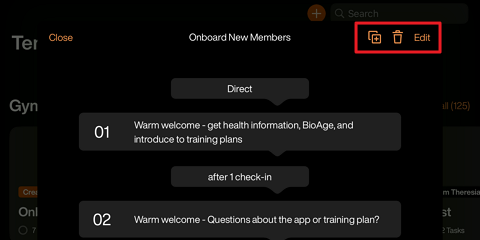
Duplicate a task chain: Tap the copy icon and choose whether you want to make it accessible for other trainers in your gym, or for your entire gym chain.
Delete a task chain: Tap the trash bin icon and confirm.
Edit a task chain: Tap , make adjustments, and tap .
Once done, tap .