Communication
This page contains notification settings to help you stay connected with your members.
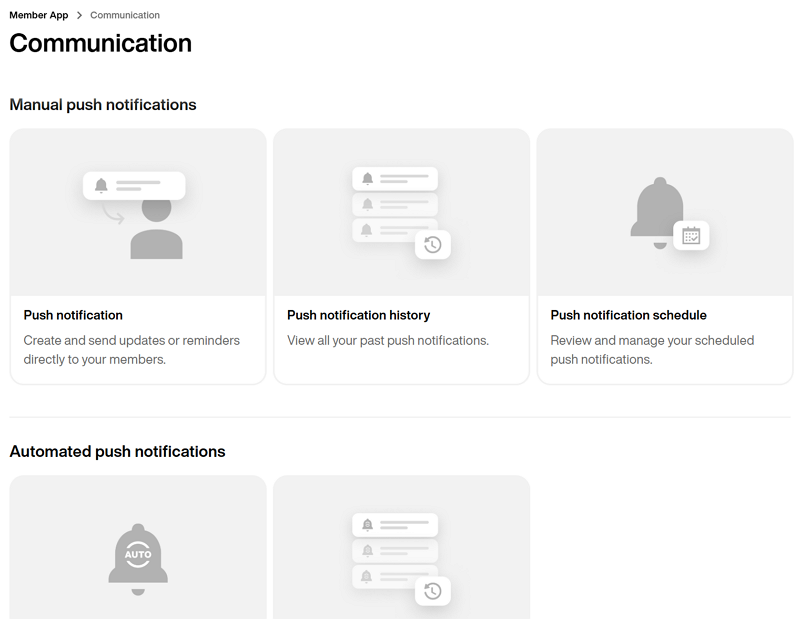
Push-aviseringar är ett bra sätt att skicka omedelbar eller schemalagd kommunikation till dina medlemmar, potentiella medlemmar eller gäster som är relevanta för dina behov och vanor.
På den här sidan kan du manuellt skapa en omedelbar eller schemalagd engångs-push-avisering.
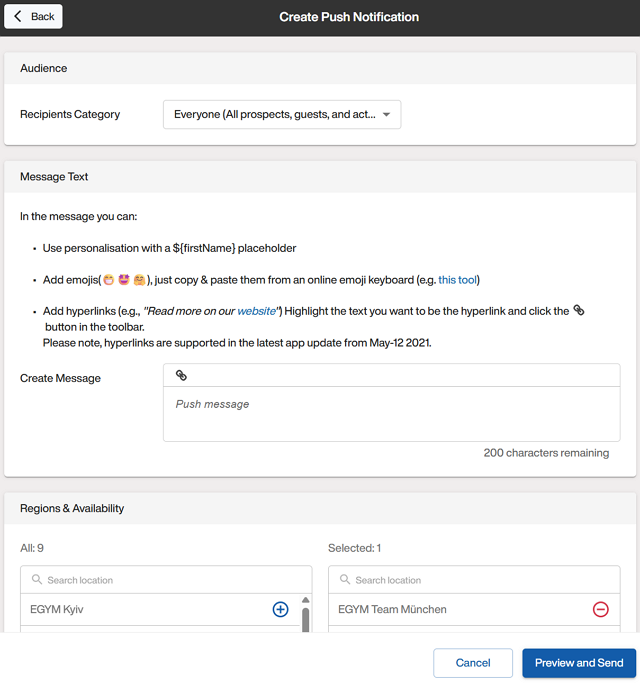
Välj om aviseringen ska skickas till en specifik lista (CSV-fil) eller till alla.
Notera
Detta är användbart när du vill rikta in dig på användare av Member App eller nyliga deltagare i utmaningar med erbjudanden eller rabatter.
Välj vilka platser aviseringen ska gå till och om du vill att push-aviseringen ska leda användaren till en funktion i appen.
Notera
Till exempel: För en veckoutmaning kan du leda deltagare till appens ”träningsfunktion” för att se det senaste passet.
Välj om du vill skicka aviseringen nu eller schemalägga den.
När du har granskat och skickat, kontrollerar du push-schemat eller historiken för att verifiera.
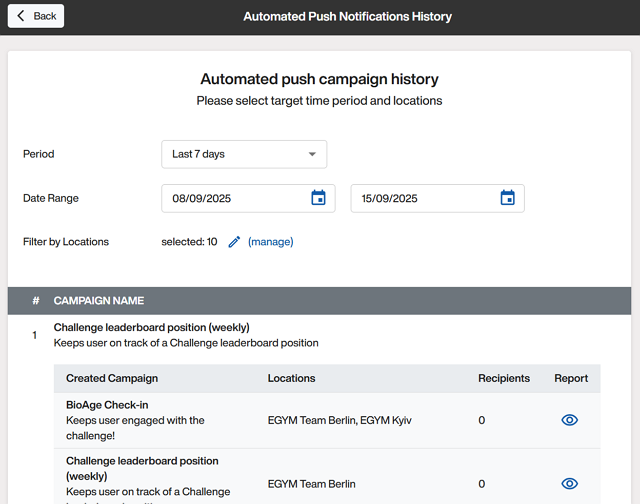
På den här sidan kan du se aviseringar som har skickats under en viss tidsperiod.
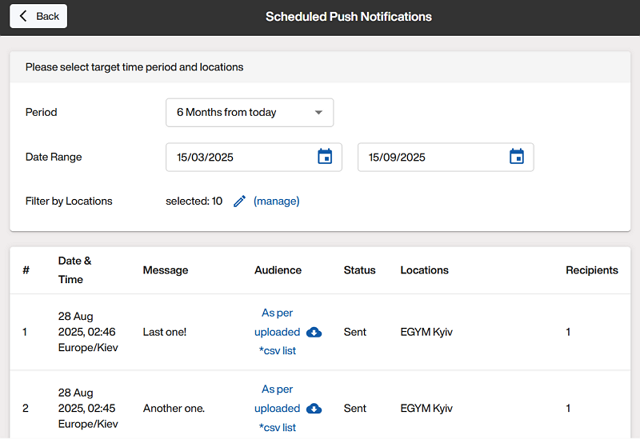
På den här sidan kan du se aviseringar som är schemalagda för framtiden.

Automatiserade push-aviseringar är aviseringar som kan ställas in för att skickas ut regelbundet, vilket sparar tid för att konfigurera dem manuellt samtidigt som dina medlemmar hålls engagerade.
På den här sidan kan du hantera vilka aviseringar som är aktiva eller skapa nya.
Notera
Den här funktionen är tillgänglig för kunder med Pro- eller Enterprise-paketet.
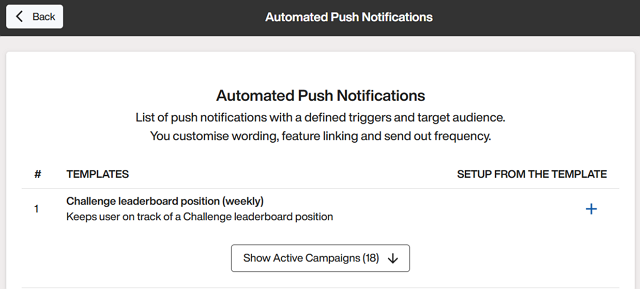
Ställ in automatiserade push-aviseringar:
Mall: Klicka på ikonen + bredvid en mall.
Anpassad: Skrolla till längst ner på sidan och klicka på .

På en avisering klickar du på och visar, aktiverar, redigerar eller raderar efter behov.

På den här sidan kan du se aviseringar som har skickats under en viss tidsperiod.
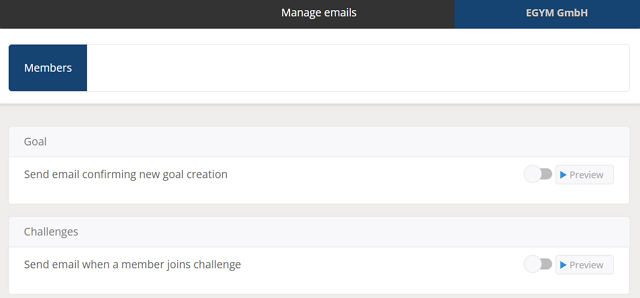
E-postmeddelanden är fördesignade och skickas automatiskt när användare interagerar med appen på vissa sätt.
På den här sidan kan du slå på eller av dessa e-postmeddelanden och lägga till din varumärkeslogotyp om det behövs.