Redigera inställningar för Genius-träningsplan
Du kan när som helst uppdatera dina inställningar för Genius-träningsplan i appen för att bättre matcha dina träningsmål, erfarenhet och tillgänglig utrustning.
I Genius-widgeten (), trycker du på .
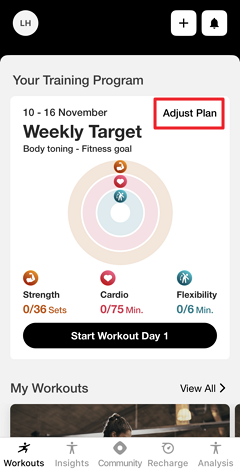
Ändra dina inställningar för vid behov.
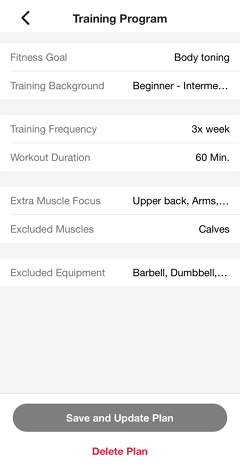
Tryck på .
Genius kommer att återskapa din plan enligt de nya inställningarna. Du får en avisering när det är klart.
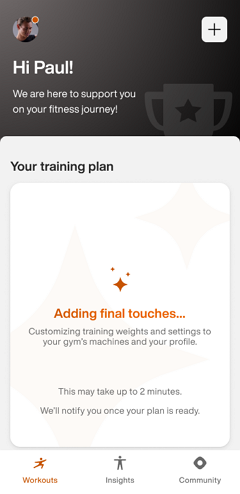
Notera
Se till att aviseringar är aktiverade i enhetens inställningar. Annars kan du kolla i appen senare.
Viktigt
För gymägare:
För att säkerställa att medlemmar får push-aviseringar måste ditt gyms Member App kunna publicera uppdateringar. Se till att kontoinnehavaren har godkänt alla nödvändiga Apple App Store Connect-avtal, inklusive både standardlicensavtalet och eventuella nödvändiga avtal för betalappar.
För Android, om ditt gym använder ett eget Google Play-utvecklarkonto, måste du godkänna Google Play Developer Distribution Agreement.