How to use Genius Chat Beta
Depending on whether you want to edit your Genius training plan or just today's workout session, do one of the following:
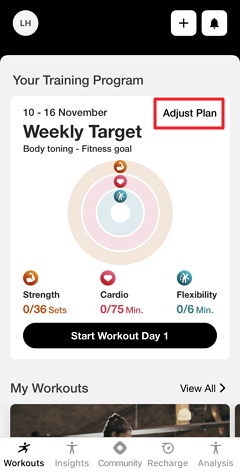
Genius Chat Beta for training plans:
Tippe im Genius-Widget () auf .
Genius Chat Beta for workout sessions:
Tippe unter auf (1, 2, 3 usw.).
Oder gehe zu , tippe auf und wähle (1, 2, 3 usw.).
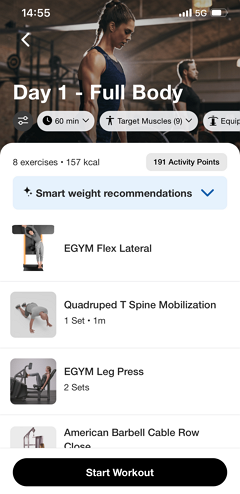
Tap the settings icon at the top of the screen.
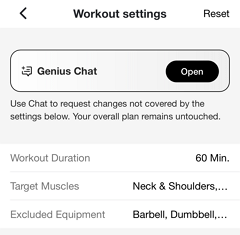
Open .
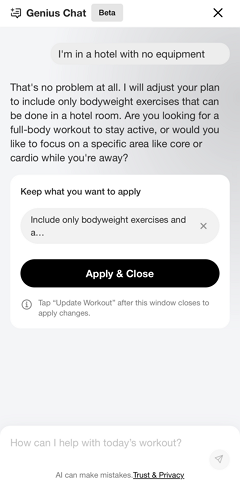
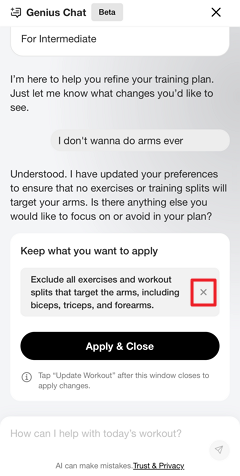
Type a short description of your current situation. Refer to What to tell Genius Chat Beta for more information. You can continue the conversation to refine the changes.
Anmerkung
Tap the x icon to remove suggested changes as needed.
You can also come back later to remove applied changes.
Anmerkung
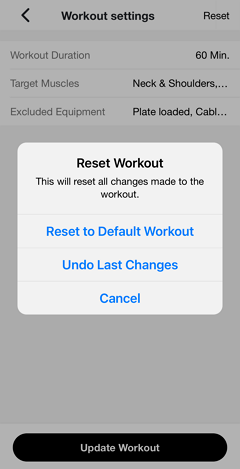
Bei Bedarf kannst du immer zu den Workout-Einstellungen zurückkehren und auf > tippen, um zur ursprünglichen Version zurückzukehren.
Once done, tap .
Review the settings summary. Tap on the field to make further adjustments. Adjust the other settings as needed.
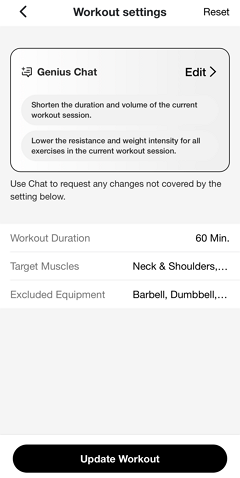
Tap .
Genius will review your input and adjust your training plan or workout session based on what you've described.
Refer to Wie Genius deine Eingabe interpretiert for more information.