Den ersten Trainingsplan erstellen
Mit den folgenden Schritten kannst du den Onboarding-Prozess in der EGYM Trainer App für dein Mitglied abschließen. Alternativ kann die Auswertung der Mitgliedereinstellungen auch direkt auf dem EGYM Fitness Hub durchgeführt werden.
Anmerkung
Wenn dein Fitnessstudio Gesundheitsinformationen verwendet, fülle zuerst die Genius-Mitgliederpräferenzen aus. Einige Präferenzen (Trainingstage pro Woche, Trainingsdauer, Erfahrungsniveau und Trainingsziel) werden automatisch aus den Genius-Präferenzen in die Gesundheitsinformationen übertragen, die als Erweiterung der Genius Daten dienen.
Einen neuen Genius-Plan erstellen
Starte die EGYM Trainer App und gehe zu .
Suche und tippe auf ein Mitglied, um es auszuwählen.
Tippe auf .
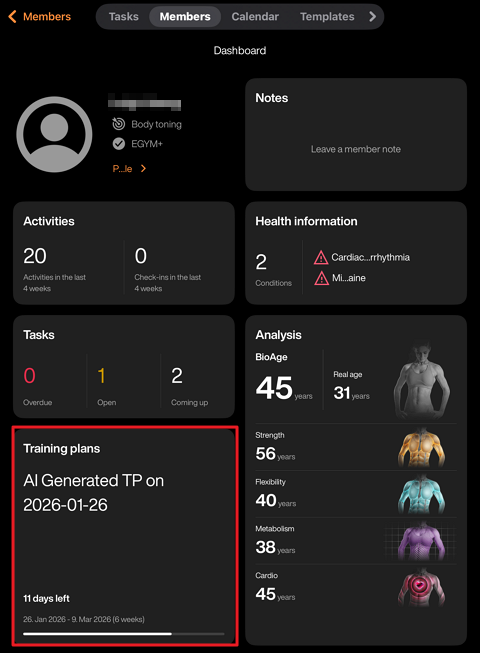
Tippe auf das +-Symbol in der Mitte des Bildschirms. Oder tippe auf das +-Symbol oben rechts und dann auf .
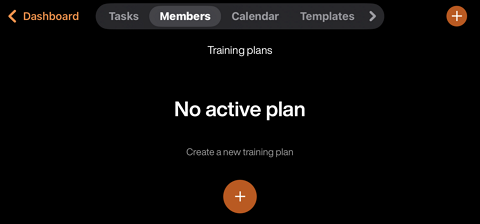
Führe je nach deiner Situation einen der folgenden Schritte aus:
Wenn das Mitglied die ersten Schritte, einschließlich Körperanalyse und Krafteinschätzung, nicht abgeschlossen hat, wird der folgende Bildschirm angezeigt:
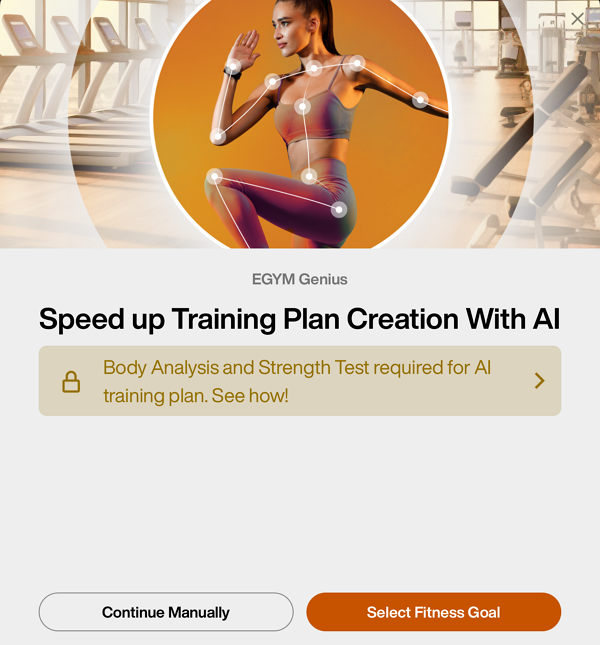
An dieser Stelle kannst du auf tippen, um die Mitgliederpräferenzen einzugeben. Um jedoch die Möglichkeit freizuschalten, Trainingspläne mit Genius zu erstellen, musst du Folgendes tun:
Bitte dein Mitglied, sich beim Fitness Hub anzumelden.
Erfasse die Informationen zur Körperzusammensetzung deines Mitglieds.
Teste die Kraft deines Mitgliedes an den Smart Strength Geräten.
Wenn das Mitglied die erste Körperanalyse und Beurteilung abgeschlossen hat, wird folgender Bildschirm angezeigt:
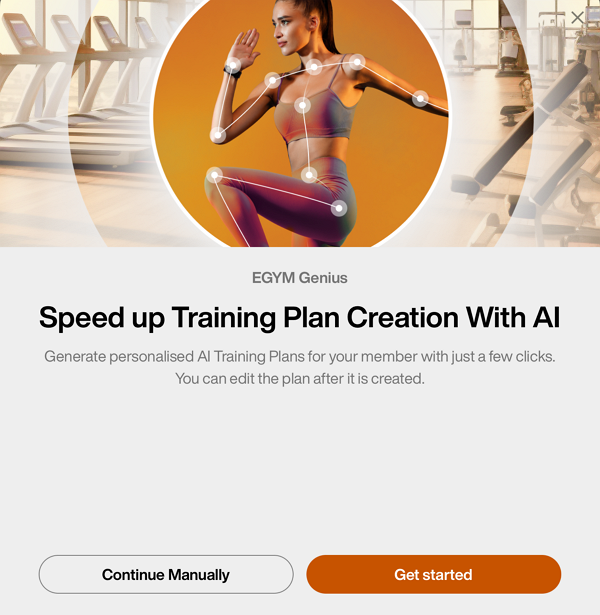
Tippe auf , um die Mitgliederpräferenzen auszufüllen und einen Plan zu generieren.
Trainingspräferenzen ausfüllen
Wähle das Erfahrungslevel deines Mitglieds aus:
Wähle das Fitnessziel deines Mitglieds aus:
Im Fenster „Trainingsziele“ kannst du die Parameter Kraft, Kardio und Flexibilität für jedes Ziel manuell anpassen. Wenn du dich entschieden hast, tippe auf .
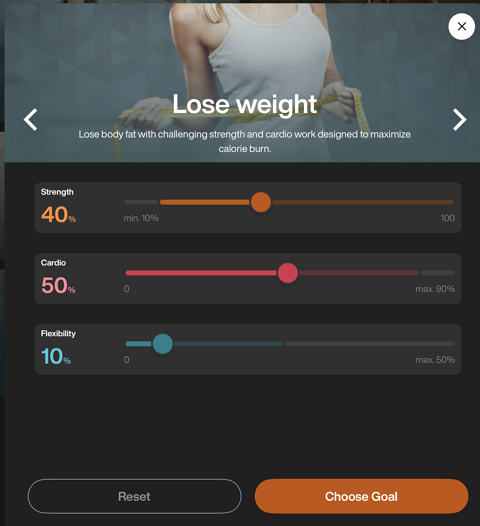
Anmerkung
Weitere Informationen zu diesen Reglern und ihrer Funktionsweise findest du unter Wie erfolgt die Anpassung von Fitnesszielen?.
Wähle aus, wie oft (1–7 Tage) pro Woche das Mitglied trainieren wird.
Wähle die durchschnittliche Dauer (15–180 Minuten) jedes Trainings aus.
Wähle bestimmte Muskelgruppen aus, auf die du dich besonders konzentrieren möchtest. Tippe auf .
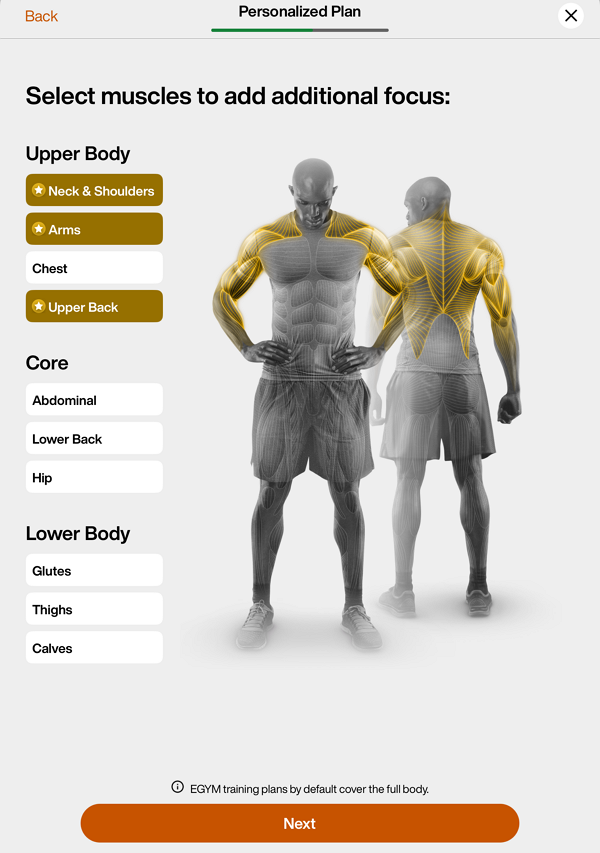
Anmerkung
Genius Trainingspläne berücksichtigen standardmäßig alle Muskelbereiche.
Wähle Muskelgruppen aus, die du vermeiden möchtest. Tippe auf .
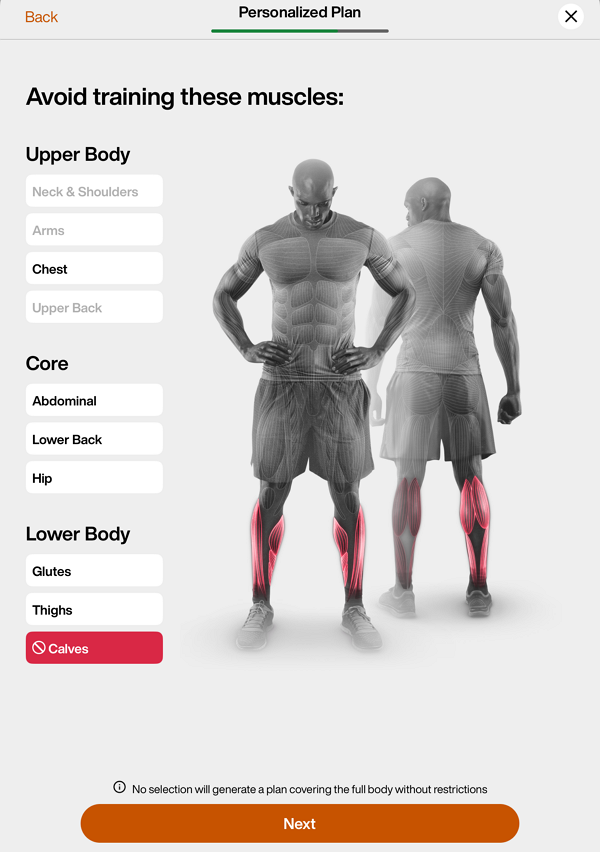
Anmerkung
Nur Übungen, die primär auf die ausgeschlossene Muskelgruppe abzielen, werden aus den Genius Trainingsplänen entfernt. Übungen, die den Muskel indirekt beanspruchen – bei denen weniger als 40 % seiner Kapazität genutzt werden – werden weiterhin einbezogen.
Wenn du zum Beispiel die Waden ausschließt, werden Übungen wie Wadenheben weggelassen, Kniebeugen können aber trotzdem im Trainingsplan vorkommen
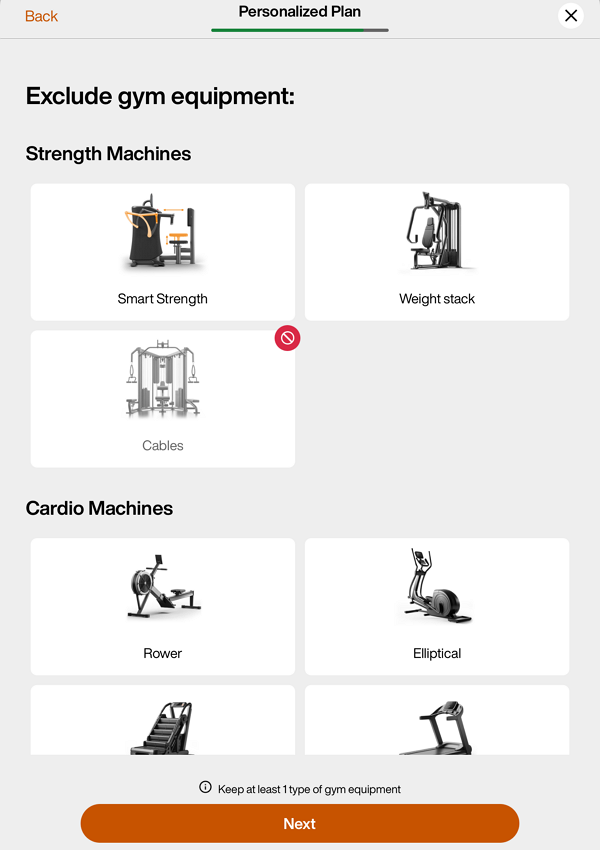
Wähle die Geräte aus, die ausgeschlossen werden sollen. Tippe auf .
Anmerkung
Auch wenn ein Mitglied keine EGYM+ Mitgliedschaft hat, erhält es in seinen Genius Trainingsplänen trotzdem EGYM Smart Strength Geräte. Um dies zu vermeiden, kannst du EGYM Smart Strength Geräte in diesem Schritt ausschließen.
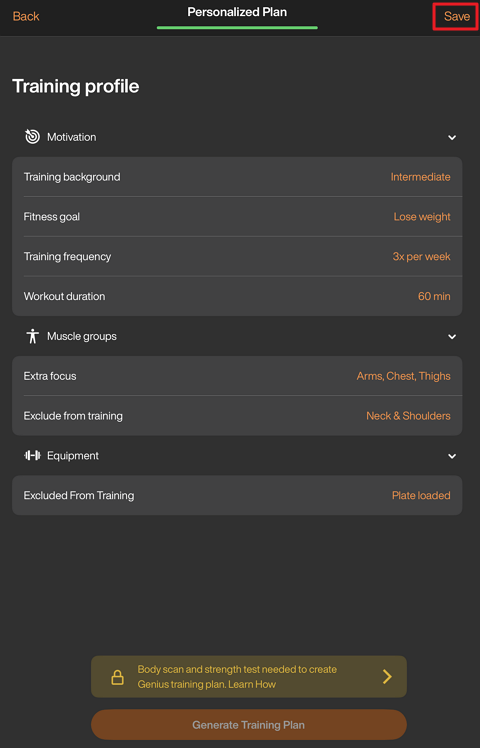
Überprüfe die Zusammenfassung des Plans. Tippe auf eine beliebige Kategorie, um Änderungen vorzunehmen. Du kannst diese Einstellungen auch später jederzeit in der App bearbeiten.
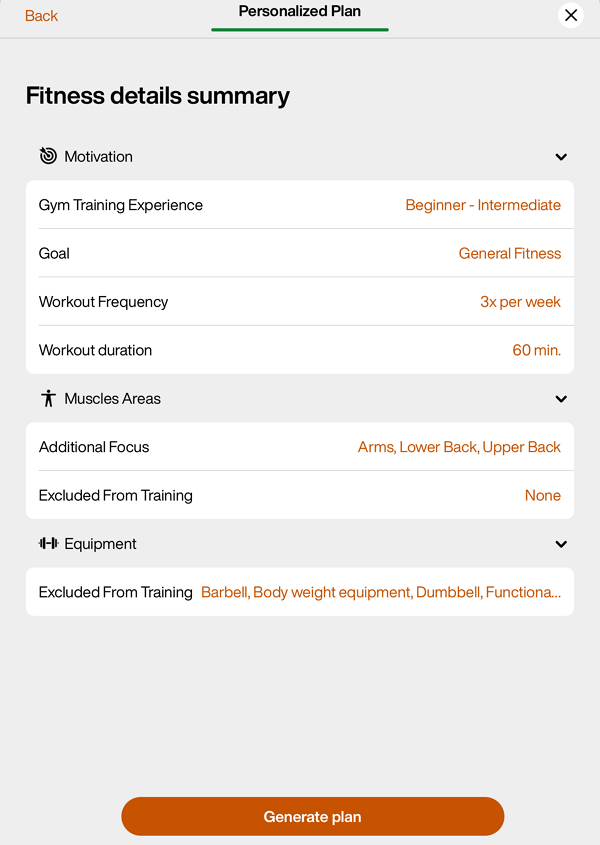
Wenn du fertig bist, tippe auf .
Tippe auf , um den Plan dem Mitglied zuzuweisen.
Anmerkung
Wenn das Mitglied die erste Untersuchung – wie etwa die Körperanalyse und Kraftmessungen – noch nicht abgeschlossen hat, tippe oben rechts auf . Die von dir eingegebenen Einstellungen werden gespeichert und stehen weiterhin zur Verfügung, wenn du nach Abschluss der Bewertungen erneut einen Genius Trainingsplan erstellt hast.