Copy equipment
If you manage multiple gym locations, you can copy an equipment setup from one location to another. This saves time when setting up a new location with the same or similar equipment.
Anmerkung
You must have gym owner rights for at least two locations to use this feature
At the top of the Business Suite, select the destination gym where equipment will be copied to.
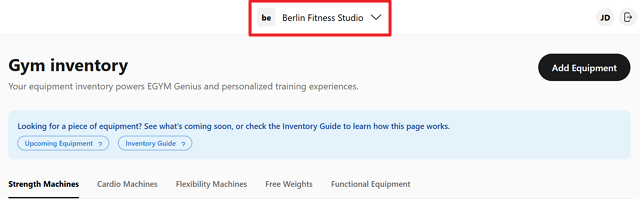
Select > .
Select the source gym to copy from and which equipment categories to copy.
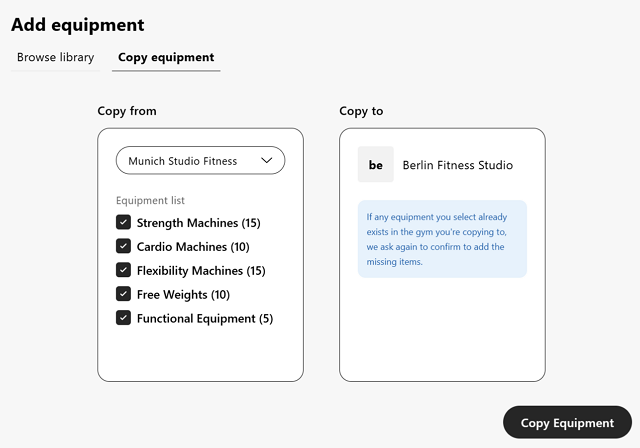
Click and the wizard will start the process.
Once done, the equipment will appear in your gym inventory.