Adaptive Training
As muscle fatigue sets in during a set, this training method automatically adjusts your weight to help you finish strong while maintaining proper form. You stay close to your maximum training weight throughout, maximizing your results. You get the support you need, exactly when you need it.
Anmerkung
Complete a strength test before your first workout so EGYM can personalize your training weight.
Select . To change the training method, refer to Change training settings.
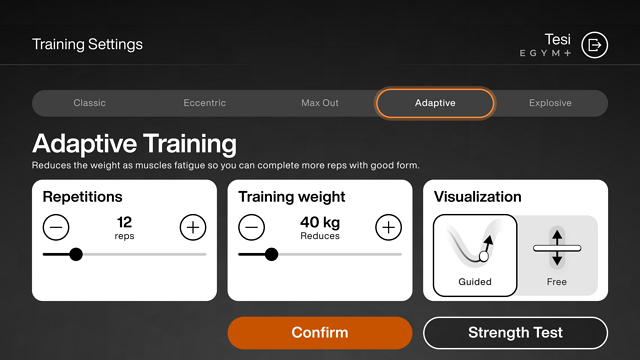
On this screen, choose the number of reps, the training weight, and the visualization you want to use during your workout. You can only adjust these settings in Individual Mode.
Tap to select the training method.
Tap to start exercising.
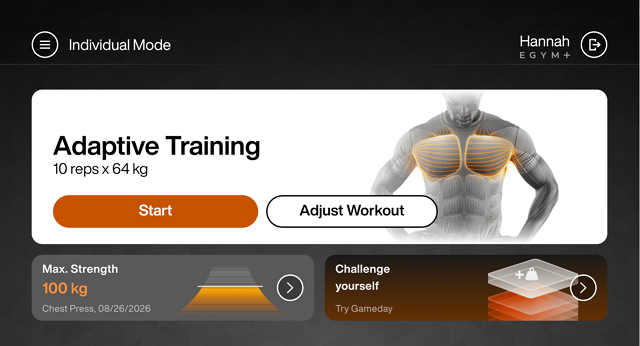
The screen shows the visualization you chose. The EGYM Curve guides you through each exercise. The EGYM Bar lets you train without range-of-motion guidance.
The EGYM Curve
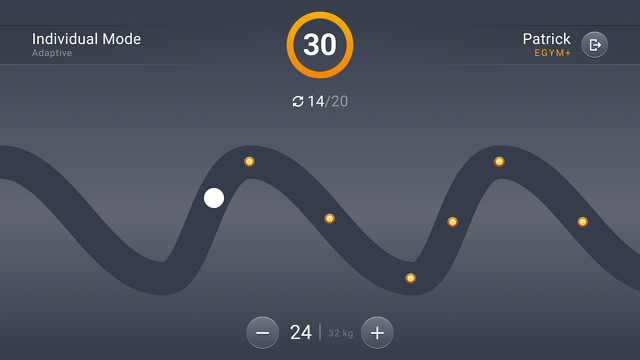
The screen displays these elements:
A timer at the top of the screen
A counter that tracks completed repetitions
The EGYM Curve - Follow the path on the screen collecting coins as you complete each repetition.
The weight setting that you can adjust manually
The EGYM Bar
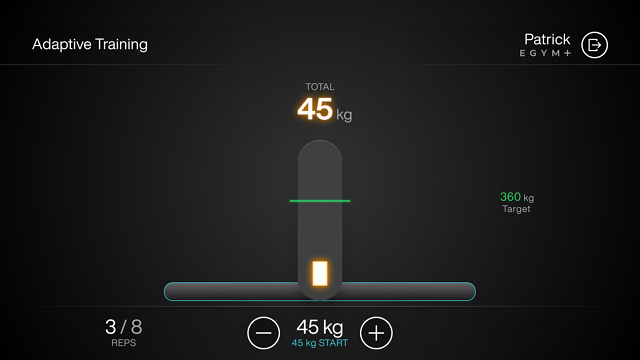
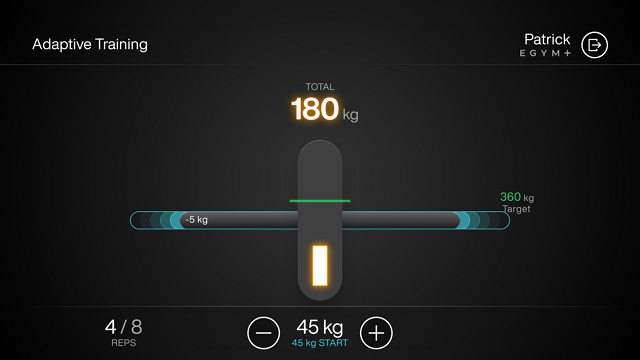
The bar on screen raises and lowers matching your physical movement. The screen also displays the total current weight lifted, your target, and the number of complete repetitions.
Train through a set until you reach muscle fatigue. When you actively push to your limit and can't complete a repetition, the training method automatically reduces your weight to help you keep going.
Anmerkung
The system detects genuine effort during the movement—simply moving the lever isn't enough; you must actively drive through each rep for the adjustment to activate.
The screen displays a notification when you have reached your target.
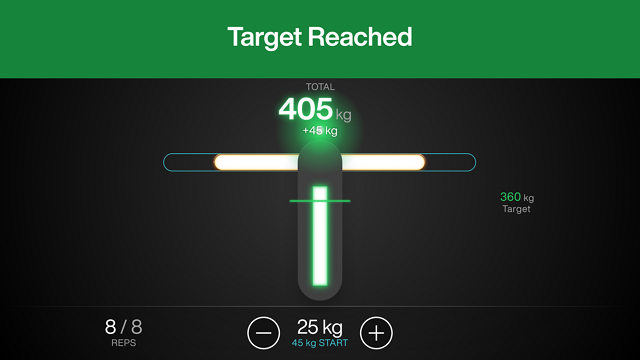
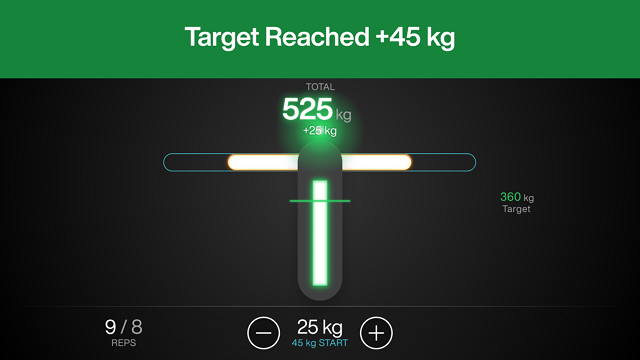
If you exceed your target weight, the system shows you how much the extra you have lifted.
Anmerkung
The session times out automatically after 10 seconds of inactivity.