Member voice
This page contains configurable options for receiving member feedback.
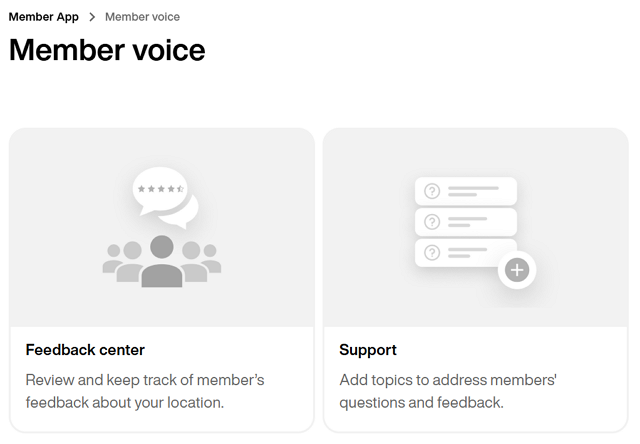
Op deze pagina kun je feedback voor je fitnessclub bekijken en erop reageren. Dit is een geweldige tool voor het beheren van de tevredenheid van leden en het monitoren van trends en problemen op verschillende locaties.
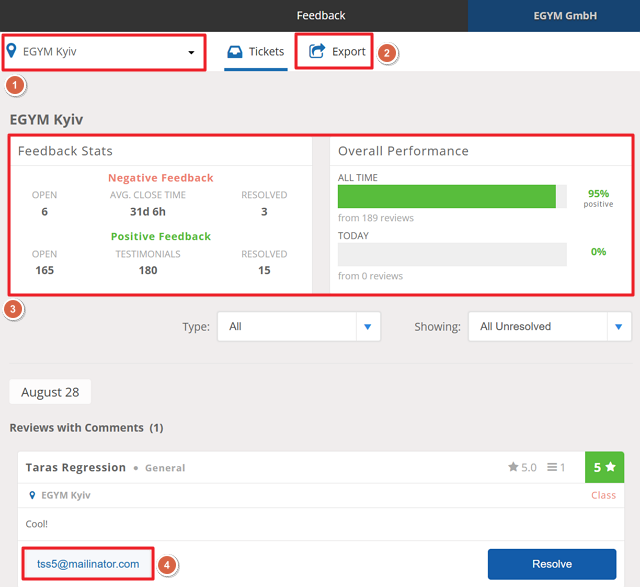
Als je meerdere fitnessclubs hebt, gebruik dan het filter bovenaan om een specifieke locatie te selecteren.
Klik op om een volledig rapport als CSV-bestand te downloaden.
Bekijk algemene statistieken en prestaties.
Bij individuele feedbackitems kun je rechtstreeks contact opnemen met leden via hun e-mailadres (klik om te kopiëren). Zorg ervoor dat je de feedback markeert als opgelost zodra deze is afgehandeld.
Leden kunnen direct en onmiddellijk feedback geven over belangrijke kwesties op de -pagina in de Member App (via > ).
Op deze pagina kun je nieuwe supportonderwerpen toevoegen en de details van bestaande onderwerpen bewerken.
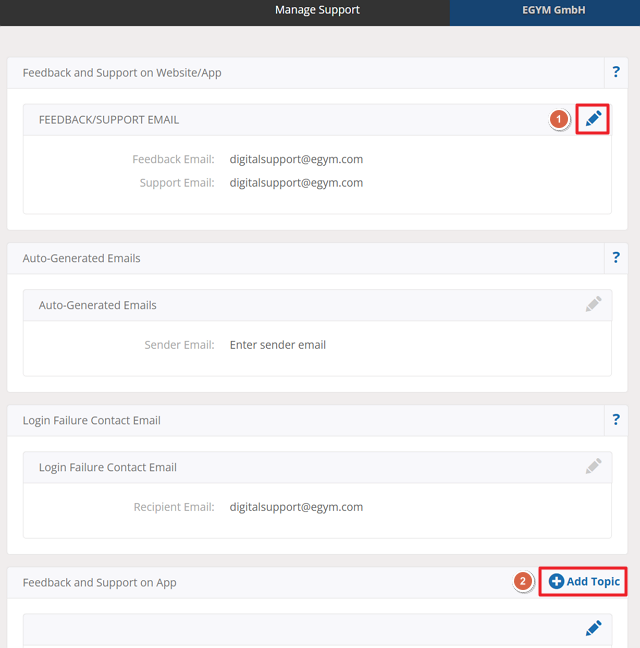
Klik bij een supportonderwerp op het potloodpictogram om de details ervan te bewerken.
Opmerking
De details voor en kunnen niet worden gewijzigd.
Klik op om een nieuw supportonderwerp aan te maken. Je kunt bijvoorbeeld een specifiek onderwerp aanmaken voor feedback over onderhoud of schoonmaak.