Begeleiding voor de eerste keer
Log in op een EGYM Smart Strength-toestel.
Opmerking
Als je dit toestel al hebt gebruikt maar geen krachttest hebt voltooid, ga je direct naar de krachttesten.
Als je dit toestel al hebt gebruikt en een krachttest hebt voltooid, ga je direct naar het scherm vóór de training waar je Training starten kunt selecteren.
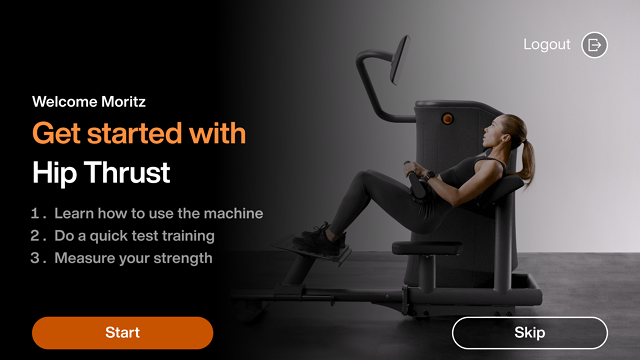
Selecteer Start om te leren hoe je het toestel gebruikt.
Opmerking
Selecteer Overslaan om direct naar de testtraining (Stap 4) te gaan.
Volg de instructies op het scherm en tik op Volgende totdat je het testtrainingsscherm bereikt.
Selecteer Start om de testtraining te beginnen.
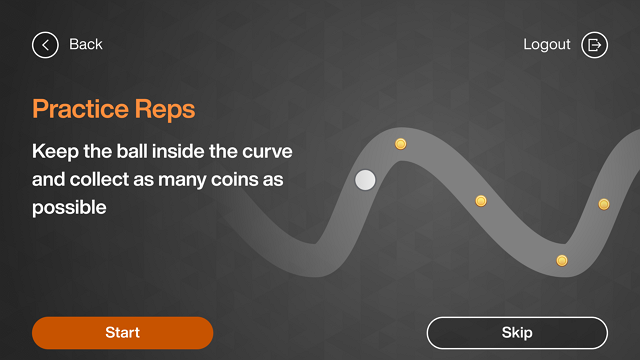
Volg de instructies op het scherm en tik op OK.
Opmerking
Je moet minimaal 3 herhalingen voltooien om door te gaan naar de volgende stap.
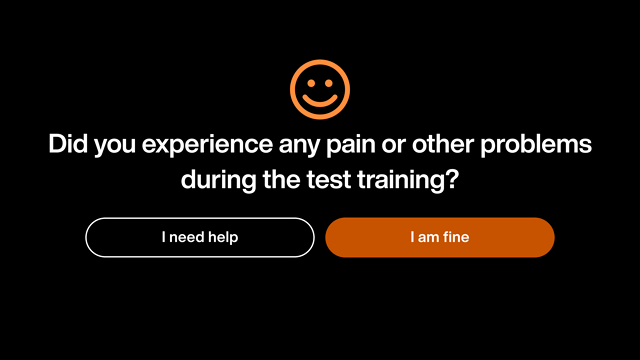
Selecteer Het gaat goed met me. Daarna ga je door naar de krachttest.
Opmerking
Als je Ik heb hulp nodig selecteert, word je gevraagd om contact op te nemen met een trainer.