Hoe werk ik Genius-trainingsvoorkeuren bij?
Genius for Members: Leden kunnen hun trainingsvoorkeuren voor hun Genius-trainingsschema rechtstreeks bijwerken in de EGYM Branded Member App (BMA).
Genius for Trainers: Trainers kunnen de trainingsvoorkeuren van een lid aanpassen in de EGYM Trainer App.
Genius for All: Leden kunnen hun eigen trainingsvoorkeuren bijwerken in de Member App, terwijl trainers de trainingsvoorkeuren van een lid kunnen aanpassen via de EGYM Trainer App.
Voorkeuren van leden bewerken
Opmerking
Het bijwerken van de voorkeuren voor Genius-trainingsschema's zal niet automatisch bestaande Genius-trainingsschema's bijwerken. Om de nieuwe voorkeuren toe te passen, maak je een nieuw Genius-trainingsschema aan.
Start de EGYM Trainer App en ga naar .
Zoek en tik om een lid te selecteren.
Tik op .
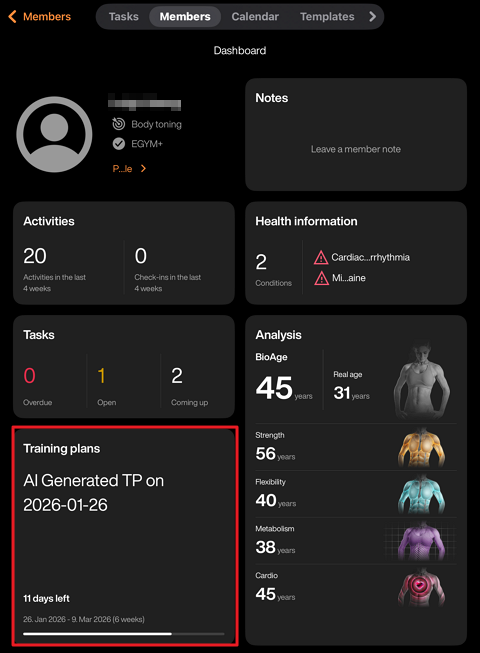
Tik op het pictogram + in het midden van het scherm. Of tik op het pictogram + rechtsboven en tik vervolgens op .
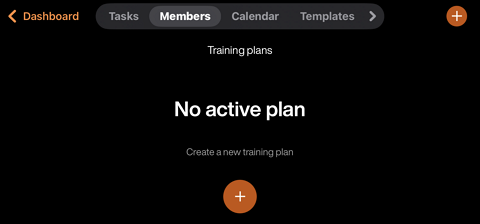
On the member's Training profile, you can update the member’s , as well as other preferences.
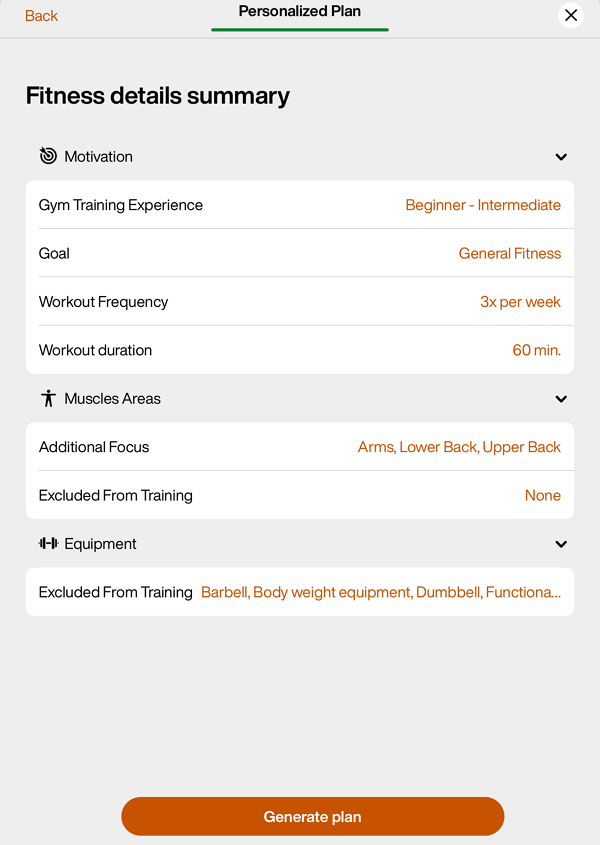
Tik als je klaar bent op .
Bewerk het trainingsschema naar wens.
Tik op om het schema aan het lid toe te wijzen.
Genius-trainingsschemavoorkeuren bewerken
Je kunt je Genius-trainingsschemavoorkeuren op elk gewenst moment in de app bijwerken om ze beter af te stemmen op je fitnessdoelen, ervaring en beschikbare apparatuur.
Tik in de Genius-widget () op .
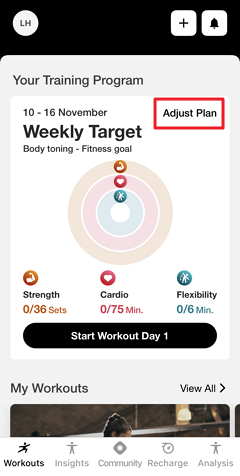
Pas je voorkeuren met betrekking tot je naar wens aan.
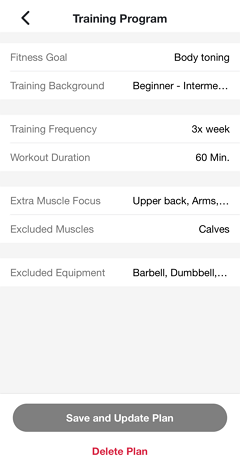
Tik op .
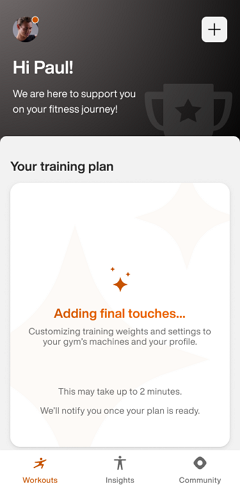
Genius genereert je schema opnieuw op basis van de nieuwe voorkeuren. Je krijgt een melding zodra het klaar is.
Opmerking
Zorg dat meldingen zijn ingeschakeld in de instellingen van je toestel. Kijk anders later nog eens in de app.
Belangrijk
Voor fitnessclubeigenaren:
Om ervoor te zorgen dat leden pushmeldingen ontvangen, moet de Member App van je fitnessclub updates kunnen publiceren. Zorg dat de accounthouder alle vereiste Apple App Store Connect-overeenkomsten heeft geaccepteerd, inclusief zowel de standaard licentieovereenkomst als eventuele vereiste overeenkomsten voor betaalde apps.
Voor Android geldt: als je fitnessclub een eigen Google Play-ontwikkelaarsaccount beheert, moet je de Google Play-distributieovereenkomst voor ontwikkelaars accepteren.