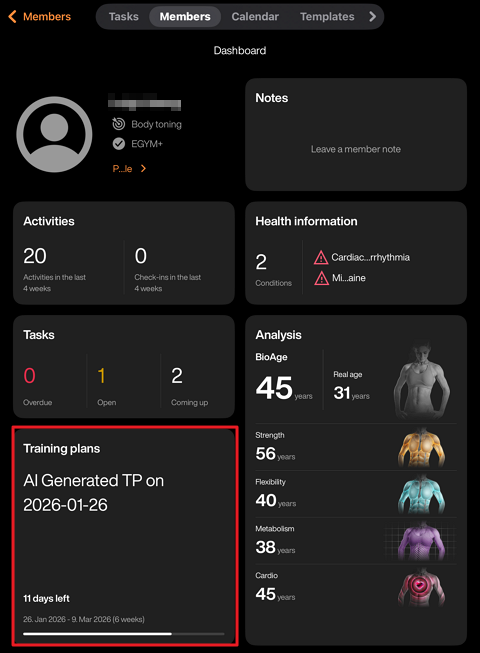
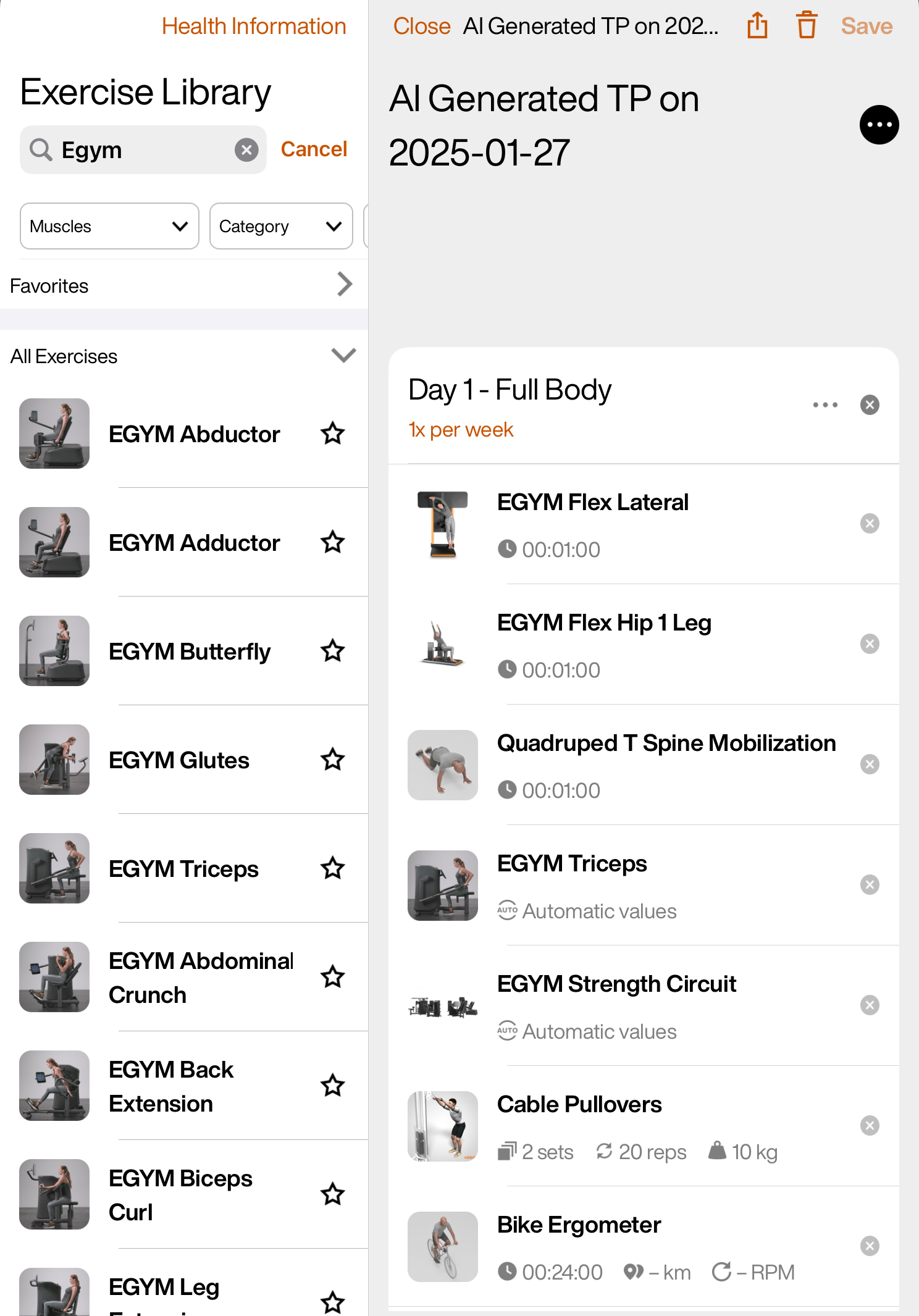
EGYM Knowledge Genius Genius for Trainers Manage Genius Training Plans Edit training plans Edit training plans Launch the EGYM Trainer App and go to Members. Search and tap to select a member. Tap Training plans. Tap on an “AI Generated” training plan. Edit the training plan as needed. Edit the plan name, start date, or duration: Tap ⋯ next to the training plan name or session. Remove an exercise: Tap x next to the exercise. Search for an exercise: Tap the search bar or select filters to find exercises. Add an exercise: Tap or drag-and-drop the exercise to the place you want in the plan. Reorder exercises: Drag-and-drop exercises within the plan. Add a session: Scroll down to the bottom of the page and tap Add Session. Then, add the exercises you want. Import a plan: Scroll down to the bottom of the page and tap Import > Template/From member. Tap Save to assign the plan to the member.